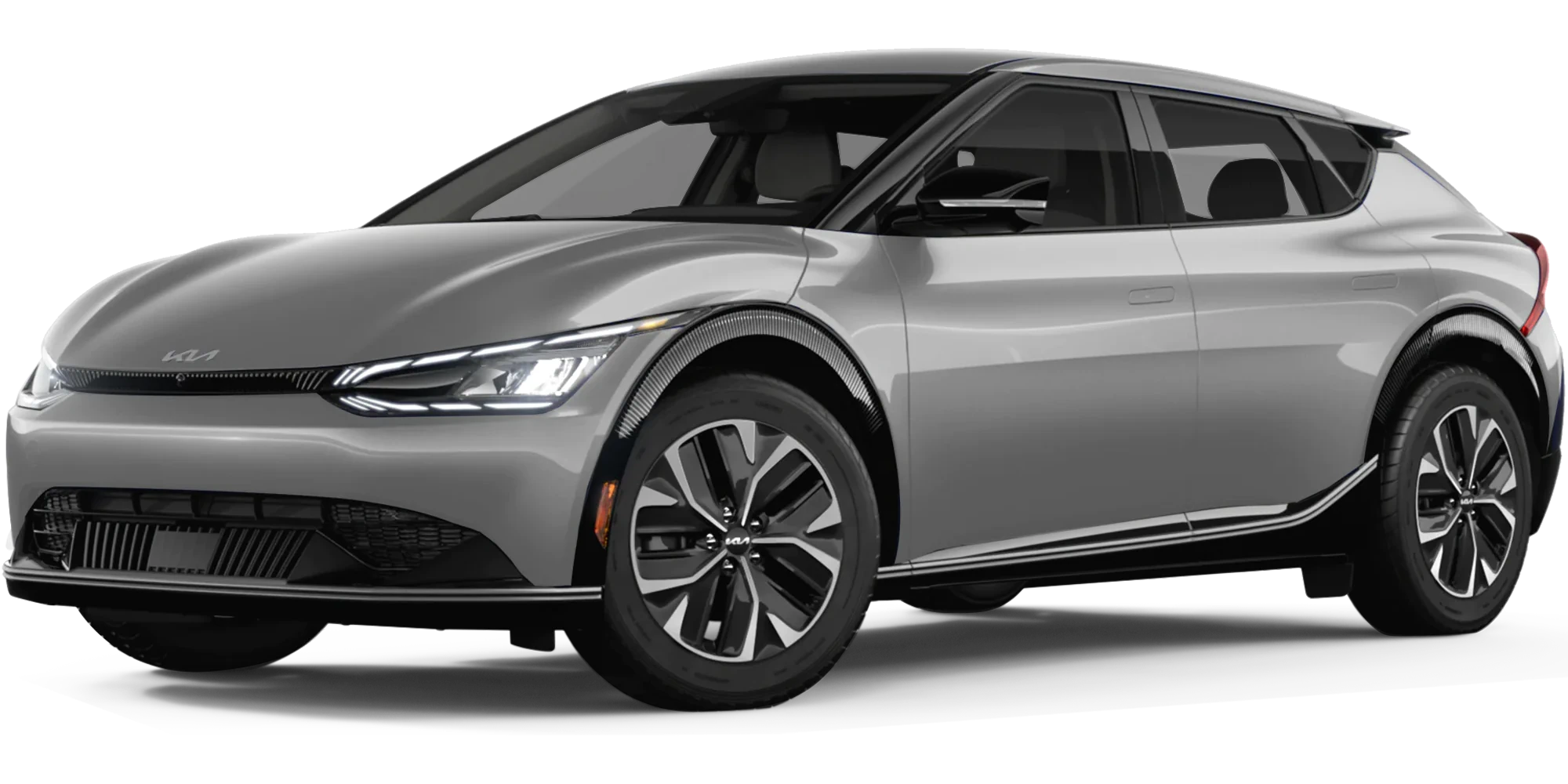
May 11, 2022 NHTSA CAMPAIGN NUMBER: 22V322000
Vehicle Rollaway from Software Error
Vehicle rollaway can increase the risk of a crash or injury.
NHTSA Campaign Number: 22V322000
Manufacturer Kia Motors America
Components PARKING BRAKE
Potential Number of Units Affected 9,014
Summary
Kia Motor America (Kia) is recalling certain 2022 EV6 vehicles. A software error in the Shifter Control Unit (SCU) may disengage the parking mechanism, which can allow the vehicle to rollaway.
Remedy
Drivers are recommended to park their vehicles on level ground and avoid parking on a slope/inclined surface whenever possible until the remedy has been performed. Dealers will update the Shifter Control Unit software, free of charge. Owner notification letters were mailed May 25, 2022. Owners may contact Kia customer service at 1-800-333-4542. Kia’s number for this recall is SC236.
Notes
Owners may also contact the National Highway Traffic Safety Administration Vehicle Safety Hotline at 1-888-327-4236 (TTY 1-800-424-9153), or go to www.nhtsa.gov.
Check if your Kia has a Recall
SC236
May 2022
SHIFTER CONTROL UNIT (SCU) LOGIC IMPROVEMENT (SC236)
This bulletin provides information to update the Shifter Control Unit (SCU) software logic on certain 2022MY EV6 (CV) vehicles produced from November 17, 2021 through April 7, 2022. The subject vehicles are equipped with a Shift-By-Wire system that contains a Shifter Control Unit (SCU) and a parking pawl actuator motor. If a voltage fluctuation occurs when the vehicle is ’OFF’ and in the ’PARKED’ position, the command signal from the SCU to the parking pawl actuator may be affected, resulting in the temporary disengagement of the parking mechanism and potential vehicle rollaway. Vehicle rollaway increases the risk of a crash and/or injuries. Follow the procedure outlined in this publication to update the SCU software to prevent any temporary disengagement of the parking mechanism. Before conducting the procedure, verify that the vehicle is included in the list of affected VINs.
Kia Diagnostic System (KDS)
NOTICE
There is no charge to the vehicle owner for this repair. Under applicable law, you may not sell or otherwise deliver any affected vehicle until it has been repaired pursuant to the procedures set forth in this bulletin.
NOTICE
To assure complete customer satisfaction, always remember to refer to WebDCS Warranty Coverage (validation) Inquiry Screen (Service → Warranty Coverage → Warranty Coverage Inquiry) for a list of any additional campaigns that may need to be performed on the vehicle before returning it to the customer.
A printed copy is for reference only; publication information can be updated at any time.
Always refer to KGIS for the latest information. After logging in kdealer.com, the newest technical publications are listed in ‘Service Releases’ and has the latest service information that has been released.
ECU Upgrade Procedure:
To correct this condition, the ECU should be reprogrammed using the KDS download, as described in this bulletin.
| Upgrade Event Name |
| 615. CV SCU OPERATION LOGIC IMPROVEMENT |
NOTICE
- Confirm a fully charged battery (12.3 volts or higher is necessary) is used or utilize a fully charged jump starter box connected to the battery.
- Ensure the KDS GDS is sufficiently charged at 60% or higher prior to reflash.
- All ECU upgrades must be performed with the ignition set to the ‘ON’ position unless otherwise stated.
- Damaged VCI II units should not be used and promptly replaced.
- Be careful not to disconnect the VCI-II connected to the vehicle during the ECU upgrade procedure.
- DO NOT press the ‘EV’ button during ECU upgrade.
- DO NOT turn the ignition key ‘OFF’ or interrupt the power supply during ECU upgrade.
- When the ECU upgrade is completed, turn the ignition ‘OFF’ and wait 10 seconds before starting the engine.
- ONLY use approved ECU upgrade software designated for the correct application.
IMPORTANT
It is recommended to ALWAYS check the Electronic Parts Catalog (EPC) to locate the ECU Part Number respective to Auto/Manual Mode ROM IDs. DO NOT reference the parts label affixed to the ECU.
NOTICE
Before attempting an ECU upgrade on any Kia model, make sure to first determine whether the applicable model is equipped with an immobilizer security system. Failure to follow proper procedures may cause the PCM to become inoperative after the upgrade and any claims associated with this repair may be subject to chargeback.
ROM ID INFORMATION TABLE:
Upgrade Event #615
| Model | System | IMMO | ECU P/No. | ROM ID | |
| Previous | New | ||||
| EV6 (CV) | SCU | Yes | 42951 18150 | ECV1XXXXLXE15XS0 ECV1XXXXLXE17XS1 | ECV1XXXXXXE19XS2 |
To verify the vehicle is affected, be sure to check the Calibration Identification of the vehicle’s ECM ROM ID and reference the Information Table as necessary.
NOTICE
Prior to performing the ECU upgrade, be sure to check that the KDS is fully charged.
1. Connect the VCI-II to the OBD-II connector, located under the driver’s side of the instrument panel.
NOTICE
KDS screenshot shown above is for demonstration purposes only. Events shown in screenshot are not applicable to this bulletin.
2a. Press the vehicle’s ‘EV’ button.
Note: Ensure that the ‘READY’ indicator is NOT displayed ON.
2b. Turn ON the KDS tablet. Select ‘KDS’ from the home screen.
3. Confirm communication with VCI (A) and then configure the vehicle (B) using the ‘AUTO VIN’ (C) feature.
4. Select ‘ECU Upgrade’.
5. The KDS will check the server for recently uploaded Events and then automatically download Upgrade Event #615.
NOTICE
The vehicle must be identified in Vehicle Selection to download an Event for that vehicle.
6. Select Auto Mode.
CAUTION
Do NOT attempt to perform a Manual Mode upgrade UNLESS Auto Mode fails. Always follow the instructions given on the KDS in either Auto or Manual mode.
7. Select the SCU system under the System selection menu.
Under Event Group, select Event #615 (D) to continue.
8. The ECU upgrade will begin and the progress of the upgrade will appear on the bar graph. Upgrade part (1/2) (E) will download the upgrade event to the VCI-II. Upgrade part (2/2) (F) will upgrade the ECU.
CAUTION
Do not touch the system buttons (like ‘Back’, ‘Home’, ‘etc.’) while performing ECU Upgrade.
9. If a “Communication Fail” screen appears, verify that the VCI-II and KDS are communicating properly. Select ‘OK’ and restart the from step 4.
NOTICE
If an error notice continues to appear or if the upgrade cannot be performed, DO NOT disconnect the KDS/VCI II. Contact GIT America Help Desk at (888) 542 4371 or Techline.
10. When instructed on the KDS, turn the ignition OFF for ten (10) seconds then back on. Select ‘OK’ to continue.
11. Once the upgrade is complete, select ‘OK’ to finalize the procedure.
12. When prompted, select ‘YES’ to check for Diagnostic Trouble Codes (DTC) and erase any DTCs stored such as EPS, ESC, and TPMS that may have been set during the upgrade.
13. Start the engine to confirm normal operation of the vehicle.
Manual Upgrade Procedure:
NOTICE
The manual upgrade should ONLY be performed if the automatic upgrade fails.
If the automatic upgrade fails, turn the ignition ‘OFF’ for about 10 seconds then place it back in the ‘ON’ position to reset the control unit BEFORE performing manual upgrade.
See table below for ‘Manual Mode’ passwords.
Manual Mode ECU Upgrade Passwords
| Menu | Password |
| CV SCU : 42951-18150 | 8150 |
1. Within the ECU Upgrade screen displayed, select Manual Mode.
2. Select the SCU system under the System selection menu. Select Upgrade Event #615 and select Upgrade to continue.
3. Select the appropriate control unit part number with reference to the ROM ID Information Table on page 3, and select OK.
4. Enter the appropriate password from the Manual Mode password table above and select OK.
5. The upgrade will begin and the progress of the upgrade will appear on the bar graph.
6. When instructed on the KDS, turn the ignition OFF for ten (10) seconds then back on. Select OK.
7. Once the upgrade is complete, select OK to finalize the procedure.
8. When prompted, select YES to check for Diagnostic Trouble Codes (DTC) and erase any DTCs stored such as EPS, ESC, and TPMS that may have been set during the upgrade.
9. Start the engine to confirm proper operation of the vehicle.
AFFECTED VEHICLE RANGE:
| Model | Production Date Range |
| EV6 (CV) | November 17, 2021 to April 7, 2022 |
REQUIRED TOOL:
| Tool Name | Figure | Comments |
| KDS | Kia Diagnostic System |
SC236 –2022 MY EV6 VEHICLES SHIFTER CONTROL UNIT
SAFETY RECALL CAMPAIGN
Q & A
May 16, 2022
Q1. What type of campaign is Kia conducting?
Kia America, Inc., pursuant to the National Traffic and Motor Vehicle Safety Act, is conducting a Safety Recall Campaign to remedy a defect that can result in a vehicle rollaway.
Q2. What vehicles are affected by the recall?
Certain 2022 MY EV6 vehicles manufactured from November 17, 2021 through April 7, 2022.
Q3. How many customer vehicles are affected by this recall?
Approximately 9,014 vehicles
Q4. What is the concern with the Shifter Control Unit?
The subject vehicles are equipped with a shift-by-wire system that contains a Shifter Control Unit (SCU) and a parking pawl actuator motor. If a voltage fluctuation occurs when the vehicle is off and in the parked position, the command signal from the SCU to the parking pawl actuator may be affected, resulting in the temporary disengagement of the parking mechanism and potential vehicle rollaway. Vehicle rollaway increases the risk of a crash and/or injuries.
Q5. Can you describe the recall campaign and fix?
Dealers will be instructed update the Shifter Control Unit (SCU) software to prevent any temporary disengagement of the parking mechanism.
Q6. How will owners of the affected vehicles be notified?
Kia will send a letter notifying owners of the affected vehicles by first class mail on May 25, 2022.
Q7. What should vehicle owners do when they receive the notification?
Upon receipt of the letter, owners are to contact their authorized Kia dealer to arrange to have the recall performed on their vehicle.
Q8. How was the issue discovered?
Through information received from Kia Corporation.
Q9. Will this cost vehicle owners any money?
No. Kia will perform the recall repair at no cost to the customer.
Q10. What about customers who may have already paid to have this situation corrected?
If the customer has incurred expense to remedy this issue prior to the date of this notice, the customer may have the opportunity to obtain reimbursement for that expense. Customers may submit their receipts online to Kia via the Owners section (Contact Kia) of www.kia.com OR mail their documentation with the completed Request for Reimbursement Form included with this letter directly to Kia for review and consideration at the following address:
Consumer Assistance Center Kia
America, Inc.
P.O. Box 52410
Irvine, CA 92619-2410
1-800-333-4542
A11. Are there any restrictions on an owner’s eligibility?
No.
Q12. If a customer has an immediate question, where can they get further information?
The customer can contact their local authorized Kia dealership or call Kia’s Consumer Assistance Center at 1-800333-4KIA (4542), Monday through Friday, 5 AM to 6 PM Pacific Time, or via the internet at www.kia.com (Owner’s Section).
2022MY EV6
Shifter Control Unit
Basis of Safety Defect Determination 573.6(c)(6)
April 21, 2022
Kia Corporation (Kia HQ) informs Kia North America (Kia NA) Safety Office that it is investigating one (1) alleged EV6 rollaway incident in the Korean market and that this model shares a ‘ShiftBy-Wire’ (SBW) system with the 2022MY EV6 sold in the United States. Kia HQ continues to investigate.
April 29, 2022
Kia HQ investigation identifies that if a voltage fluctuation occurs when the vehicle is off and in the parked position, the command signal from the Shift Control Unit to the parking pawl actuator can be affected causing the vehicle to potentially roll away.
May 2, 2022
Kia HQ informs Kia NA Safety Office of its investigation results and its plan to make a non-USA market field action decision on May 3, 2022.
Kia NA Safety Office conducts an analysis of its field data and identifies no rollaway incidents in the U.S..
May 3, 2022
Kia NA decides to conduct a safety recall for certain 2022MY EV6 vehicles. No customer complaints, warranty claims or techline cases. No fatalities, injuries, crashes or fires.
1 Affected Product
Vehicle
| MAKE | MODEL | YEAR |
| KIA | EV6 | 2022 |
12 Associated Documents
Recall Acknowledgement
RCAK-22V322-2885.pdf 747.557KB
Recall 573 Report – 5/16/2022
RCLRPT-22V322-1584.PDF 213.942KB
Defect Notice 573 Report
RCLRPT-22V322-1456.PDF 213.845KB
2022MY EV6 Shifter Control Unit Chronology
RMISC-22V322-9913.pdf 74.931KB
Manufacturer Notices(to Dealers,etc)
RCMN-22V322-5724.pdf 109.833KB
SC236 –2022 MY EV6 VEHICLES SHIFTER CONTROL UNIT SAFETY RECALL CAMPAIGN Q & A: May 16, 2022
RMISC-22V322-0111.pdf 114.733KB
Remedy Instructions and TSB
RCRIT-22V322-6778.pdf 598.279KB
Manufacturer Notices(to Dealers,etc)
ISSUED Owner Notification Letter(Part 577)
RCONL-22V322-4727.pdf 242.115KB
Recall Quarterly Report #1, 2022-2
RCLQRT-22V322-6634.PDF 211.141KB
Recall Quarterly Report #2, 2022-3
RCLQRT-22V322-6968.PDF 211.247KB
Recall Quarterly Report #3, 2022-4
RCLQRT-22V322-5079.PDF 211.337KB
Latest Recalls Documents
Kia Reprogramming
Kia J2534 Diagnostics & Reprogramming
https://kiatechinfo.snapon.com/J2534DiagnosticsAndProgramming.aspx
What is J2534?
A single set of programming hardware consists of personal computer(PC), standard interface to a device driver and an interface hardware that connects between PC and a programmable ECU of vehicle.
The main purpose of this regulation is to program ECUs for all vehicles using a single set in the field.
| Device | Manufacturers | API | DLL | Firmware |
|---|---|---|---|---|
| CarDAQ Plus | Drew Technologies Inc. | 4.04 | 1.9.28 | 1.9.28 |
| ES6510 | Vetronix Corporation | 4.04 | 12.00 | 12.00 |
| Sun PassThru Pro | Snap-on Diagnostics | 4.04 | 02.07u | 02.07u |
| PassThru+ XS | I+ME Actia GmbH | 4.04 | 02.07u | 02.07u |
| OTTOTEST-VCI | OTTO | 4.04 | 1.04 | 1.34 |
| iFlash | Blue Streak | 4.04 | 1.04 | 1.34 |
| PASS THRU PRO II | Snap-on Diagnostics | 4.04 | 1.9.24 | 1.9.24 |
| AEZ Flasher | AE Tools | 4.04 | 1.9.28 | 1.9.28 |
| VSI-2534 | Dearborn Tech | 4.04 | 2.05.26 | 2.05.26 |
| Flasher Pro | Bosch | 4.04 | 1.9.28 | 1.9.28 |
| Flash2 | Cardone | 4.04 | 2.06.28.2 | 2.06.28.2 |
| PX3 | Dearborn Tech | 4.04 | 1.00.09 | 1.00.09 |
| CARDAQ-M | Drew Technologies Inc. | 4.04 | 1.0.106 | 1.0.106 |
| Universal Reprogrammer II | EASE Diagnostics | 4.04 | 1.9.28 | 1.9.28 |
| G-Scan2 | GIT | 4.04 | 3.1 | 9.03 |
* API, DLL and Firmware version may be controlled by the device manufacturer. Contact the manufacturer if you are unable to find the version listed above All devices were tested/verified on all Hyundai engine management systems.

- J2534 Pass-Thru Programmer: TOPDON RLink J2534 is an advanced diagnostic and reprogramming tool that support all J2534 protocols, as well as D-PDU, CAN-FD and DoIP, ensuring compatibility with a wide range of modern vehicles. It offers extensive versatility with support for over 18 major automotive brands, including Chrysler, Ford, GM, Nissan, Toyota, Honda, Subaru, Land Rover/Jaguar, Volvo, Wuling, Volkswagen/Audi, Mercedes-Benz, and BMW. NOTE: Not compatible with Ford IDS diagnostic software
- All-in-One OEM Diagnostics: This J2534 ECU programming tool elevates your automotive repair capabilities to new heights by delivering complete OEM diagnosis. Boasting comprehensive full-system diagnostics, intuitive repair guides, advanced ECU programming and coding, common reset services, a vast library of repair information and more, this all-in-one solution empowers technicians to effortlessly tackle complex vehicle issues with ease. *Not compatible with 24V vehicles
- Proven Performance You Can Trust: Backed by over 10000 real vehicle tests and benefit from a wealth of practical experience, this OEM reprogramming tool guarantees stable and exceptional performance. Supported by TOPDON's dedicated technical experts with in-depth knowledge of both auto repair and J2534 Pass-Thru programming, the RLink J2534 provides prompt and professional assistance, ensuring a smooth setup and reliable compatibility
- Integrated Excellence, Always Up-to-Date: Featuring the exclusive RLink Platform to provide a streamlined experience with one-click driver installation and management, ensuring flawless integration with your OE software, maintaining the original performance quality. The built-in operation guide makes mastering OE software quick and easy, so you can get started right away. Plus, with lifetime free updates, your diagnostics will stay current with the latest drivers and innovations
- Efficiency Meets Versatility: Engineered to support three CAN channels simultaneously - CAN FD and CAN-CC included, giving you the edge in fast troubleshooting. To perfectly synchronized with the OE software, please diagnose with active subscriptions and make sure your computer system is running a compatible 64-bit Windows version (7, 8, 10 or later) to fully leverage the power of RLink J2534. *We don't provide extra OE software

- Advanced VCI Box, Industry-leading J2534 Pass-Thru Technology: This J2534 Pass-Thru Programmer is designed espically for technicians, independent shop owners, and DIY enthusiasts, enables fast, reliable computer-based programming. It supports all J2534 protocols—including the latest DoIP and CAN FD—ensuring full compatibility with both legacy and next-generation vehicles.
- High-Speed OEM-Level Diagnostics & Programming: Unlock true OEM functionality with comprehensive system diagnostics, guided troubleshooting, coding, adaptations, resets, and programming—all designed to slash repair time. This all-in-one tool eliminates the need for multiple OEM devices, boosting efficiency and cutting costs. Equipped with High-Speed USB, it delivers 10x more data per second than competing solutions
- Coverage for 17 Car Brands & Ultra Reliability: Works seamlessly for Chrysler, for Ford(Forscan), for GM, for Nissan, for Toyota, for Honda, for Subaru(SSM4), for Land Rover/Jaguar, for Volvo, for Wuling, for Volkswagen, for Mercedes-Benz, and for BMW. Backed by over 10000 real vehicle tests and benefit from a wealth of practical experience, this OEM reprogramming tool guarantees stable and exceptional performance
- User-Friendly RLink Platform & Expert Support: TOPDON’s proprietary driver management platform offers a clean interface and lifetime free updates. Access a rich library of real-world case studies to stay ahead of the curve. Backed by a support team with 10+ years of J2534 and automotive repair experience, we provide one-on-one assistance to resolve any technical issue.
- 6.6 ft USB-C Cable & Portable Storage Case: The RLink J2534 diagnostic tool features a 6.6ft USB 2.0 Cable and a 1.2 ft OBDII Extension Cable, allows to connection your computer easily outside the vehicle. The included handled carry case offers easy portability, storage, and hanging options—keeping your gear clean and ready to go, anywhere.

- [J2534 Pass-Thru Programmer] - TOPDON RLink J2534 is engineered for professional technicians, delivering OEM diagnostic and reprogramming capabilities. It supports all J2534 protocols, CAN-FD, DoIP, D-PDU. Compatible with 17 vehicle brands—such as Chrysler, Ford, GM, KIA, Hyundai, Nissan, Toyota, Honda, Subaru, Mitsubishi, MAZDA, Land Rover/Jaguar, Volvo, Volkswagen/Audi, Mercedes-Benz, and BMW. RLink J2534 can help reduce the cost of purchasing equipment from different brands.
- [All-in-One OEM Reprogramming and Diagnostics] - When seamlessly integrated with OEM diagnostic software, this dongle enables you to perform a wide range of functions, including ECU programming and coding, DTC reading and clearing, active tests, component matching, adaptations, rewriting, guided troubleshooting, and more. This all-in-one tool eliminates the need for multiple OEM devices, significantly boosting work efficiency.
- [Tested, Trusted, and Proven for Accuracy] - TOPDON RLink J2534 is renowned for its reliability, having successfully completed over 10,000 real-vehicle tests. The wealth of data and hands-on experience behind it ensures consistent performance and accurate results. You can trust this tool to deliver optimal performance.
- [One-Click Installation, Continuous Updates] - The exclusive TOPDON RLink platform streamlines installation with a one-click driver setup, allowing you to quickly access OEM software for diagnostic and reprogramming tasks. With lifetime free updates, your RLink J2534 stays current without any additional cost, ensuring reliable performance for the long term. *We don't provide extra OE software.
- [Works with Windows Compatibility and OEM Software Subscription] - The RLink J2534 supports three CAN channels - including CAN FD and CAN-CC, providing advantages in the process of rapid troubleshooting. Compatible with Windows 7, 8 and 10 (64-bit) and higher versions of the system. For full functionality, an active OEM software subscription is required for each supported vehicle brand. Please note that the dongle does not include OEM software, which must be purchased separately to access brand-specific diagnostic and reprogramming features.

- Dual WiFi & 10.1" Touchscreen: Provides a stable, high-speed wireless link 3x faster than bluetooth, and a responsive, professional interface. Topdon ONE obd2 scanner diagnostic tool ensures smooth, non-lagging diagnostic scan, boosting mechanic efficiency
- J2534 Pass-Thru Support: The included ONE VCI supports the J2534 standard, allowing it to function as a pass-thru device when paired with OEM diagnostic software.Through TOPDON’s RLink platform, technicians can perform dealer-level coding, expanding in-house capabilities without investing in multiple factory automotive scan tools
- OE Topology Mapping: Visualize the vehicle’s ECU network exactly as it’s built.Zoom, pan, and highlight specific modules to pinpoint component issues with precision.Topology mapping displays real-time communication between modules
- 50+ Service Functions: Covers high-demand services like ADAS calibration, DPF regen, TPMS reset, ABS bleed, and throttle adaptation.Expands your service menu, allows you to charge premium rates, and turns away zero jobs due to lack of tooling. Vehicle-specific functionality may vary
- Advaned ECU Coding: 10 of the most serviced brands in North America, including full ECU coding and flash hidden support for BMW, VW, Au-di, Benz, Porsche, Toyota, Ni ssan and more. Enables module replacement, feature customization, and personal settings with automatic backup or restore.Lets your shop safely offer high-margin customization services, attracting more customers and boosting profit

- 💯【Conta.ct us for Support Directly】For any issues experienced after purchase, please reach out to: 📞autelsupply@ outlook. com🛣️. Our team will provide perfect solution for you. For tech support or [explore additional accessory], please cont.act our team: 📞autelsupply@ outlook. com🛣️.
- 🌎【Autel J2534 Pass-Thru Progra.mmer】As an OEM Pass-Thru Progra.mmer Vehicle interface for multiple makes, Autel MaxiFlash J2534 support all J2534 protocols, D-PDU, CAN-FD and DoIP protocols. 2026 newer Autel MaxiFlash J2534 VCI can works with P-C and download OEM vehicle software, seamlessly conduct OE-level diagnostic-progra.mming-c0ding. Also, Work with Elite II Pro/ Ultra Lite/ MS909/ MS909CV/ MS909EV to directly pro.gram on Merce.des-Be.nz & BM.W. Autel J2534 Progr.ammer is a multi-functional device and supports 10+ major brands, including for Hond.a, G.M, LandRo.ver, BM.W, Chrysl.er, For.d, Hyun.dai, Ki.a, Merc.edes B.enz, Toyot.a, Volksw.agen etc.
- 🌎【Enhanced Protocol: J2534/D-PDU/RP1210/CAN FD/DoIP】Autel MaxiFlash JVCI is a blueto.oth communicate device, it supports latest CAN FD DoIP CAN protocols, compliant with automotive D-PDU/ J2534/ RP1210 standards. It can perform standard PassThru J2534 functions: compatible with Toyota Techstream, Volvo VIDA, Honda HDS, Jaguar Land Rover IDS and BM.W 3G for OEM diagnostics. CAN FD protocol is mainly for GM 2019+, DoIP protocol is mainly for Volvo 2018+, for L-and Rover/for Jaguar 2017+, for BM.W F chassis and G chassis.
- 🌎【Compatible with P-C/ WIND.OWS 】The Autel J2534 VCI can be connected to a compu.ter via a data cable; once the corresponding OEM software is installed, it enables do advanced progr.amming and c0ding on your vehicles. Easy Steps: 1) Connect to P-C via a USB cable 2) download OEM vehicle software 3) Start Diagnose. Take For.d for example, you can download OEM software on mot.orcraft.erservi.ce website, such as: For.d Diagnostic Software downloads, As B.uilt Data, Updated Cali.bration information, then use different software do relevant features.
- 🌎【Work with Autel Elite II Pro/ Ultra Lite/ MS909/ MS909CV/ MS909EV】This 2026 latest Autel J2534 Pass-Thru VCI is 100% compatible with Autel Elite II Pro Ultra Lite MS909 MS909CV MS909EV to perform advanced functions from diagnose to progra.mming.

- 【J2534 Pass-Thru Device】 This budget-friendly J2534 pass-thru device delivers OEM diagnostics and reprogramming capabilities for dealerships, repair shops and automotive DIY enthuisasts, enables you diagnose, program and repair the vehicles more efficiently and precisely. Supporting J2534, D-PDU, CAN-FD and DoIP, this J2534 passthru tool ensures wide vehicle coverage. It's compatible with OE software application, ensuring seamless integration and original performance quality
- 【All-in-One Diagnostic Tool】 Simplify your workflow and tackle the complex diagnostics and repairs with confidence! This J2534 passthrough tool provides full system diagnosis, bi-directional control, maintenance reset services, ECU programming and ECU coding to run advanced diagnostics and programming. Equipped with the specialized platform, this J2534 pass-thru tool is fully compatible with OE software that helps technicians confidently handle complicated vehicle repair issues
- 【J2534 Diagnostic Tool】 The Tabscan J2534 pass-thru device is built with a dedicated platform, making it ideal for both professional and personal use. Simply download the driver for your ford vehicle within the platform—ensuring only one driver is installed at a time. Then connect the device to your vehicle’s OBD2 port and link it to your computer using the included USB A to USB C cable. Finally launch your OE software, select Tabscan J2534 VCI as interface, and begin diagnose and program
- 【Universal Compatibility】 Tabscan J2534 reprogramming tool is designed to be compatible with Ford vehicles for advanced diagnostics and programming. It supports J2534 protocols, along with D-PDU, CAN-FD and DoIP, ensuring seamless connectivity with older or modern vehicles. This J2534 diagnostic tool only works with computer running on windows 7/10/11. Vehicle compatibility varies by model or year, please confirm with us before purchase. Note: It's not compatible with 24V vehicles
- 【Professional Technical Support】 Tabscan J2534 pass-thru device provides a stable and seamless connection between your vehicle and computer for diagnostics, programming, and coding. But that's not all—we go beyond hardware. Our dedicated technical support team brings deep expertise in automotive diagnostics and programming. Whether you need help with setup, troubleshooting or latest diagnostic resources and upgrades, we provide fast, professional and reliable support every step of the way
A printed copy is for reference only; publication information can be updated at any time. Always refer to KGIS for the latest information. After logging in kdealer.com, the newest technical publications are listed in ‘Service Releases’ and has the latest service information that has been released. GROUP MODEL Safety Recall Campaign 2022MY EV6 (CV) NUMBER DATE SC236 May 2022 SAFETY RECALL CAMPAIGN SHIFTER CONTROL UNIT (SCU) LOGIC IMPROVEMENT (SC236) This bulletin provides information to update the Shifter Control Unit (SCU) software logic on certain 2022MY EV6 (CV) vehicles produced from November 17, 2021 through April 7, 2022. The subject vehicles are equipped with a Shift-By-Wire system that contains a Shifter Control Unit (SCU) and a parking pawl actuator motor. If a voltage fluctuation occurs when the vehicle is ’OFF’ and in the ’PARKED’ position, the command signal from the SCU to the parking pawl actuator may be affected, resulting in the temporary disengagement of the parking mechanism and potential vehicle rollaway. Vehicle rollaway increases the risk of a crash and/or injuries. Follow the procedure outlined in this publication to update the SCU software to prevent any temporary disengagement of the parking mechanism. Before conducting the procedure, verify that the vehicle is included in the list of affected VINs. Kia Diagnostic System (KDS) SUBJECT: To assure complete customer satisfaction, always remember to refer to WebDCS Warranty Coverage (validation) Inquiry Screen (Service → Warranty Coverage → Warranty Coverage Inquiry) for a list of any additional campaigns that may need to be performed on the vehicle before returning it to the customer. NOTICE There is no charge to the vehicle owner for this repair. Under applicable law, you may not sell or otherwise deliver any affected vehicle until it has been repaired pursuant to the procedures set forth in this bulletin. NOTICE SHIFTER CONTROL UNIT (SCU) LOGIC IMPROVEMENT (SC236) Page 2 of 7 Printed TSB copy is for reference only; information may be updated at any time. Always refer to KGIS for the latest information. TSB: SC236 EV6 (CV) May 2022 SUBJECT: ECU Upgrade Procedure: To correct this condition, the ECU should be reprogrammed using the KDS download, as described in this bulletin. Upgrade Event Name 615. CV SCU OPERATION LOGIC IMPROVEMENT ROM ID INFORMATION TABLE: Upgrade Event #615 Model System IMMO ECU P/No. ROM ID Previous New EV6 (CV) SCU Yes 42951 18150 ECV1XXXXLXE15XS0 ECV1XXXXLXE17XS1 ECV1XXXXXXE19XS2 To verify the vehicle is affected, be sure to check the Calibration Identification of the vehicle’s ECM ROM ID and reference the Information Table as necessary. •Confirm a Confirm a fully charged batteryfully charged battery (12.3 volts or higher is necessary) is used (12.3 volts or higher is necessary) is used oror utilize a fully charged utilize a fully charged jump starter box connected to the battery.jump starter box connected to the battery. •Ensure the KDS GDS is sufficiently charged at 60% or higher prior to reflash.Ensure the KDS GDS is sufficiently charged at 60% or higher prior to reflash. •All ECU upgrades must be performed with the ignition set to All ECU upgrades must be performed with the ignition set to the ‘ON’ position unless otherwise the ‘ON’ position unless otherwise stated.stated. •Damaged VCI II units should Damaged VCI II units should notnot be used and promptly replaced.be used and promptly replaced. •Be careful not to disconnect the VCIBe careful not to disconnect the VCI–II connected to the vehicle during the ECU upgrade procedure.II connected to the vehicle during the ECU upgrade procedure. •DO NOT DO NOT press the ‘EV’ buttonpress the ‘EV’ button during ECU upgrade.during ECU upgrade. •DODO NOT turn the ignition key ‘OFF’ NOT turn the ignition key ‘OFF’ oror interrupt the power supply during ECU upgrade.interrupt the power supply during ECU upgrade. •When the ECU upgrade is completed, turn the ignition ‘OFF’ and wait 10 seconds before starting When the ECU upgrade is completed, turn the ignition ‘OFF’ and wait 10 seconds before starting the engine.the engine. •ONLY use approved ECU upgrade software designated for the correct ONLY use approved ECU upgrade software designated for the correct application.application. NOTICENOTICE It is recommended to ALWAYS check the Electronic Parts Catalog (EPC) to locate the ECU Part Number It is recommended to ALWAYS check the Electronic Parts Catalog (EPC) to locate the ECU Part Number respective to Auto/Manual Mode ROM IDs. DO NOT reference the parts label affixed to the ECU.respective to Auto/Manual Mode ROM IDs. DO NOT reference the parts label affixed to the ECU. IMPORTANTIMPORTANT Before attempting an ECU upgrade on any Kia model, make sure to first determine whether the Before attempting an ECU upgrade on any Kia model, make sure to first determine whether the applicable model is equipped with an immobilizer applicable model is equipped with an immobilizer security system. Failure to follow proper security system. Failure to follow proper procedures may cause the PCM to become inoperatprocedures may cause the PCM to become inoperative after the upgrade and any claims associated with ive after the upgrade and any claims associated with this repair may be subject to chargeback.this repair may be subject to chargeback. Page 3 of 7 Printed TSB copy is for reference only; information may be updated at any time. Always refer to KGIS for the latest information. TSB: SC236 EV6 (CV) May 2022 SHIFTER CONTROL UNIT (SC SUBJECT: U) LOGIC IMPROVEMENT (SC236) Connect the VCI-II to the OBD-II connector, located under the driver’s side of the instrument panel. Press the vehicle’s ‘EV’ button. Note: Ensure that the ‘READY’ indicator is NOT displayed ON. Turn ON the KDS tablet. Select ‘KDS’ from the home screen. Confirm communication with VCI (A) and then configure the vehicle (B) using the ‘AUTO VIN’ (C) feature. Select ‘ECU Upgrade’. Prior to performing the ECU Prior to performing the ECU upgrade, be sure to check that the KDS is fully charged.upgrade, be sure to check that the KDS is fully charged. NOTICENOTICE The ECU upgrade function on KDS The ECU upgrade function on KDS operates wirelessly. It is not operates wirelessly. It is not necessary necessary to perform the upgrade via USB cable.to perform the upgrade via USB cable. NOTICENOTICE A B C SHIFTER CONTROL UNIT (SCU) LOGIC IMPROVEMENT (SC236) Page 4 of 7 Printed TSB copy is for reference only; information may be updated at any time. Always refer to KGIS for the latest information. TSB: SC236 EV6 (CV) May 2022 SUBJECT: The KDS will check the server for recently uploaded Events and then automatically download Upgrade Event #615. Select Auto Mode. Select the SCU system under the System selection menu. Under Event Group, select Event #615 (D) to continue. The ECU upgrade will begin and the progress of the upgrade will appear on the bar graph. Upgrade part (1/2) (E) will download the upgrade event to the VCI-II. Upgrade part (2/2) (F) will upgrade the ECU. KDS screenshot shown above is for demonstration purposes only. Events shown in screenshot are not applicable to this bulletin. The vehicle must be identified in The vehicle must be identified in Vehicle Selection to download an Vehicle Selection to download an Event for that vehicle.Event for that vehicle. NOTICENOTICE Do NOT attempt to perform a Manual Do NOT attempt to perform a Manual Mode upgrade UNLESS Auto Mode Mode upgrade UNLESS Auto Mode fails. Always follow the instructions fails. Always follow the instructions given on the KDS given on the KDS in either Auto or in either Auto or Manual mode.Manual mode. CAUTIONCAUTION D D Do not touch the system buttons (like Do not touch the system buttons (like ‘Back’, ‘Home’, ‘etc.’) while ‘Back’, ‘Home’, ‘etc.’) while perfoperforming ECU Upgrade.rming ECU Upgrade. CAUTIONCAUTION E F Page 5 of 7 Printed TSB copy is for reference only; information may be updated at any time. Always refer to KGIS for the latest information. TSB: SC236 EV6 (CV) May 2022 SHIFTER CONTROL UNIT (SC SUBJECT: U) LOGIC IMPROVEMENT (SC236) If a “Communication Fail” screen appears, verify that the VCI-II and KDS are communicating properly. Select ‘OK’ and restart the from step 4. When instructed on the KDS, turn the ignition OFF for ten (10) seconds then back on. Select ‘OK’ to continue. Once the upgrade is complete, select ‘OK’ to finalize the procedure. When prompted, select ‘YES’ to check for Diagnostic Trouble Codes (DTC) and erase any DTCs stored such as EPS, ESC, and TPMS that may have been set during the upgrade. Start the engine to confirm normal operation of the vehicle. If an error notice continues to appear If an error notice continues to appear or if the upgrade cannot be or if the upgrade cannot be performed, DO NOT disconnect the performed, DO NOT disconnect the KDS/VCIKDS/VCI–II. Contact GIT America Help II. Contact GIT America Help Desk at (888) 542Desk at (888) 542–4371 or Techline.4371 or Techline. NOTICENOTICE SHIFTER CONTROL UNIT (SCU) LOGIC IMPROVEMENT (SC236) Page 6 of 7 Printed TSB copy is for reference only; information may be updated at any time. Always refer to KGIS for the latest information. TSB: SC236 EV6 (CV) May 2022 SUBJECT: Manual Upgrade Procedure: Manual Mode ECU Upgrade Passwords Menu Password CV SCU : 42951-18150 8150 Within the ECU Upgrade screen displayed, select Manual Mode. Select the SCU system under the System selection menu. Select Upgrade Event #615 and select Upgrade to continue. Select the appropriate control unit part number with reference to the ROM ID Information Table on page 3, and select OK. Enter the appropriate password from the Manual Mode password table above and select OK. The upgrade will begin and the progress of the upgrade will appear on the bar graph. When instructed on the KDS, turn the ignition OFF for ten (10) seconds then back on. Select OK. Once the upgrade is complete, select OK to finalize the procedure. When prompted, select YES to check for Diagnostic Trouble Codes (DTC) and erase any DTCs stored such as EPS, ESC, and TPMS that may have been set during the upgrade. Start the engine to confirm proper operation of the vehicle. The The manual upgrade should ONLY be performed if the automatic upgrade failsmanual upgrade should ONLY be performed if the automatic upgrade fails.. If the automatic upgrade fails, turn the ignition ‘OFF’ for about 10 seconds then place it back in If the automatic upgrade fails, turn the ignition ‘OFF’ for about 10 seconds then place it back in the ‘ON’ position to reset the control unit BEFORE performing manual upgrade.the ‘ON’ position to reset the control unit BEFORE performing manual upgrade. See tab See table below for ‘Manual Mode’ passwords.le below for ‘Manual Mode’ passwords. NOTICENOTICE Page 7 of 7 Printed TSB copy is for reference only; information may be updated at any time. Always refer to KGIS for the latest information. TSB: SC236 EV6 (CV) May 2022 SHIFTER CONTROL UNIT (SC SUBJECT: U) LOGIC IMPROVEMENT (SC236) AFFECTED VEHICLE RANGE: Model Production Date Range EV6 (CV) November 17, 2021 to April 7, 2022 REQUIRED TOOL: Tool Name Figure Comments KDS Kia Diagnostic System WARRANTY INFORMATION: N Code: N99 C Code: C99 Refer to Warranty Bulletin 2022-15 for claim submission procedures. Claim Type Causal P/N Qty. Repair Description Labor Op Code Op Time Replacement P/N Qty. R 42951 18150 0 (SC236) SCU UPGRADE 221058R0 0.3 M/H N/A 0 VIN inquiry data for this repair is provided for tracking purposes only. Kia retailers should reference VIN inquiry data for this repair is provided for tracking purposes only. Kia retailers should reference SSCC236236 when accessing the WebDCS system.when accessing the WebDCS system. NOTICENOTICE
**************************************************************************************************************
Kia America, Inc. Corporate Headquarters 111 Peters Canyon Road, Irvine, CA 92606-1790 USA IMPORTANT SAFETY RECALL (NHTSA Recall Number: 22V322) This notice applies to your vehicle: (Insert VIN) May 25, 2022 Dear Kia EV6 Vehicle Owner: Kia has identified a defect in your vehicle which relates to motor vehicle safety. This notice is sent to you in accordance with the requirements of the National Traffic and Motor Vehicle Safety Act. Kia America, Inc. has decided that a defect which relates to motor vehicle safety exists in certain 2022 MY EV6 vehicles. The defect can result in vehicle rollaway, thereby increasing the risk of a crash and/or injuries. Our records indicate that you own or lease one of the potentially affected vehicles. What Is The Problem? Your vehicle is equipped with a shift-by-wire system that contains a Shifter Control Unit (SCU) and a parking pawl actuator motor. If a voltage fluctuation occurs when the vehicle is off and in the parked position, the SCU may disengage the parking mechanism, which can allow vehicle rollaway. Vehicle rollaway increases the risk of a crash and/or injuries. Kia Will Update the Shifter Control Unit Software At No Cost To You. Your authorized Kia dealer will update the Shifter Control Unit (SCU) software at no cost to you. The estimated time required to perform the recall will be approximately one (1) hour depending on your dealer’s schedule. What Should You Do? • In the interest of the safety of your passengers, as well as your own safety, please immediately contact your authorized Kia dealer to arrange for the recall repair to be performed on your vehicle. • WARNING: Until you have the recall repair performed on your vehicle, park your vehicle on a level ground. Avoid parking on a slope/inclined surface whenever possible. • To find your nearest dealer, visit www.kia.com and click the “Find Dealer” button in the upper right corner (“Dealers” on a mobile device). You can also use the QR code below with your mobile device to access this information (see the bottom of this letter for more information about QR code use): What If You Have Already Paid To Have This Situation Corrected? If you have incurred expense to remedy this issue prior to the date of this notice, you may have the opportunity to obtain reimbursement for that expense. You may submit your receipts online to Kia via the Owners section of www.kia.com or mail your receipts with a copy of the attached Request for Reimbursement form directly to Kia for review and consideration: SC236 Consumer Assistance Center Kia America, Inc. P.O. Box 52410 Irvine, CA 92619-2410 1-800-333-4542 Pursuant to the General Reimbursement Plan issued by Kia pursuant to Federal Regulation 49 CFR 573.13, Kia will use its best efforts to respond to your claim within sixty (60) days of receipt and at that time Kia may either accept or reject that claim or it may request more information to evaluate the claim. Have You Changed Your Address Or Sold Your Kia? If you have changed your home address, sold your Kia vehicle, or no longer own your vehicle, please complete the attached prepaid “Change of Address/Ownership” card and mail it to us. You can also contact the Consumer Assistance Center phone number listed above. What If You Are A Vehicle Lessor? What If You Have Other Questions? If your dealer does not respond to your service request in a timely manner, we suggest that you call Kia’s Consumer Assistance Center at 1-800-333-4542. This number has TTY capability. If you still are not satisfied that we have remedied this situation without charge and within a reasonable amount of time, you may submit a complaint to the Administrator, National Highway Traffic Safety Administration, 1200 New Jersey Avenue, S.E., Washington, DC 20590; or call the toll free Vehicle Safety Hotline at 1-888-327-4236 (TTY: 1-800-424-9153); or go to https://www.nhtsa.gov. This action has been taken in the interest of your safety, and we regret any inconvenience this situation may cause you. Sincerely, Consumer Affairs Department Federal regulation requires that any vehicle lessor receiving this recall notice must forward a copy of this notice to the lessee within ten days. QR Code Use: • A QR Code is a square, 2-dimensional barcode that can be read by mobile devices loaded with an appropriate barcode or QR Code Reader App. The app reads the barcode image and then launches/uploads the specific information the code contains, such as URLs, text, photos, videos. • With a mobile device, download a QR Code Reader App. With many devices, you can do this through an app store or marketplace. • Open the QR Code Reader App on your mobile device. The app will utilize your device’s camera. Center the code in the camera viewing area. With some apps, the URL or other information will automatically load when the code is recognized. For others, you may have to snap or take a picture of the QR code. Refer to the QR Reader Code App instructions. REQUEST FOR REIMBURSEMENT FORM SC236 – 2022 MY EV6 VEHICLES – SHIFTER CONTROL UNIT SAFETY RECALL CAMPAIGN If you have incurred expense to remedy this issue prior to the date of this notice, you may have the opportunity to obtain reimbursement for that expense. You may submit your receipts online to Kia via the Owners section of www.kia.com (MyKia>Contact Us or directly at this link: https://ksupport.kiausa.com/ConsumerAffairs). If you do not have access to a computer or prefer to submit your request by mail, please complete this Request for Reimbursement and mail it to the following address for review and consideration, along with backup documentation: Consumer Assistance Center Kia America, Inc. P. O. Box 52410 Irvine, CA 92619-2410 1-800-333-4542 Please allow at least sixty (60) days for review and response. Customer First Name: Customer Last Name: Attach the following: o Repair Order showing: o Name & address of person paying for the repair o Vehicle Identification Number (VIN) of vehicle repaired o Description of the problem repaired Date of repair, mileage at the time of repair and total cost of claimed repair expense o Evidence of Payment of Repair showing: o Date of Payment o Amount Paid (e.g., copies of cancelled check or credit card receipt) I certify that the documents attached to this Request for Reimbursement are true and accurate and should be used as the basis for a reimbursement to me under this campaign. CLAIMANT’S SIGNATURE: ____________________________________________ _________________________________________ Signature Print Name Customer Address: Customer City: State: Zip: Phone #: ( ) – Email: Vehicle Identification Number: Mileage at Time of Repair: Date of Repair: / / Amount of Reimbursement Requested $
**************************************************************************************************************
SC236 May 16, 2022 ATTENTION: ALL DEALER PRINCIPALS Kia America, Inc., pursuant to the National Traffic and Motor Vehicle Safety Act, is conducting a Safety Recall Campaign on certain 2022 MY EV6 vehicles manufactured from November 17, 2021 through April 7, 2022. The subject vehicles are equipped with a shift-by-wire system that contains a Shifter Control Unit (SCU) and a parking pawl actuator motor. If a voltage fluctuation occurs when the vehicle is off and in the parked position, the command signal from the SCU to the parking pawl actuator may be affected, resulting in the temporary disengagement of the parking mechanism and potential vehicle rollaway. Vehicle rollaway increases the risk of a crash and/or injuries. Dealers will update the Shifter Control Unit (SCU) software to prevent any temporary disengagement of the parking mechanism. Your Service Manager was sent a copy of the owner notification letter and a Q&A guide for recall questions both of which describe the issue and information on how to access the list of affected vehicles. Kia will start mailing notices to the affected vehicle owners on May 25, 2022 What Should You Do? Please make certain the appropriate personnel in your dealership are familiar with the details of this recall campaign to ensure proper responses to customer inquiries and requests to have the campaign performed on their vehicles. NHTSA ADVISORY: It is a violation of Federal law for a dealer to deliver a new motor vehicle covered by this notification under a sale or lease until the defect is remedied. LEGAL PRIVACY LIABILITY NOTICE: Pursuant to the terms of the Dealer Sales and Service Agreement and the Gramm-Leach-Bliley federal consumer privacy act, you are required to keep confidential any and all information and documents provided to you by Kia America, Inc. or generated by you in the conduct of carrying out work under that Agreement regarding Kia vehicle purchasers and owners, including but not limited to warranty claim information. Kia dealers may use such owner information for the sole purpose of conducting and performing this recall campaign, and for no other purpose. If you have any questions, please contact your Kia District Parts & Service Manager. Sincerely, Kia Service Department Enclosures
**************************************************************************************************************
SC236 May 16, 2022 ATTENTION: ALL DEALER PARTS & SERVICE MANAGERS Kia America, Inc., pursuant to the National Traffic and Motor Vehicle Safety Act, is conducting a Safety Recall Campaign on certain 2022 MY EV6 vehicles manufactured from November 17, 2021 through April 7, 2022. The subject vehicles are equipped with a shift-by-wire system that contains a Shifter Control Unit (SCU) and a parking pawl actuator motor. If a voltage fluctuation occurs when the vehicle is off and in the parked position, the command signal from the SCU to the parking pawl actuator may be affected, resulting in the temporary disengagement of the parking mechanism and potential vehicle rollaway. Vehicle rollaway increases the risk of a crash and/or injuries. Dealers will update the Shifter Control Unit (SCU) software to prevent any temporary disengagement of the parking mechanism. The Technical Service Bulletin that provides vehicle inspection and repair procedures, affected VIN production range, and warranty claim information will be posted on the Kia Global Information System (KGIS) at www.kiatechinfo.com. Enclosed you will find a copy of the owner notification letter and a Q&A Guide for recall questions, both of which describe the issue. Note that any vehicle owner who has already paid for related repairs can submit a request for reimbursement online via the Owner’s Section of www.kia.com. Kia will mail notices to the affected vehicle owners on May 25, 2022. Also, please make certain the appropriate personnel in your dealership are familiar with the details of this recall to ensure proper responses to customer inquiries and requests to have the recall performed on their vehicles. This Safety Recall Campaign represents an opportunity for your service department to deliver an exceptional service experience (e.g., flexible service appointment process, car wash and vacuum and timely service). NHTSA ADVISORY: It is a violation of Federal law for a dealer to deliver a new motor vehicle covered by this notification under a sale or lease until the defect is remedied. LEGAL PRIVACY LIABILITY NOTICE: Pursuant to the terms of the Dealer Sales and Service Agreement and the Gramm-Leach-Bliley federal consumer privacy act, you are required to keep confidential any and all information and documents provided to you by Kia America, Inc. or generated by you in the conduct of carrying out work under that Agreement regarding Kia vehicle purchasers and owners, including but not limited to warranty claim information. Kia dealers may use such owner information for the sole purpose of conducting and performing this recall campaign, and for no other purpose. If you have any questions, please contact your Kia District Parts and Service Manager. Sincerely, Kia Service Department
**************************************************************************************************************
OMB Control No.: 2127-0004 Part 573 Safety Recall Report 22V-322 The information contained in this report was submitted pursuant to 49 CFR §573 Manufacturer Name : Kia Motors America Submission Date : MAY 16, 2022 NHTSA Recall No. : 22V-322 Manufacturer Recall No. : SC236 Manufacturer Information : Manufacturer Name : Kia Motors America Address : 111 Peters Canyon Road Irvine CA 92606 Company phone : 800-333-4542 Population : Number of potentially involved : 9,014 Estimated percentage with defect : 1 % Vehicle Information : Vehicle 1 : 2022-2022 Kia EV6 Vehicle Type : LIGHT VEHICLES Body Style : ALL Power Train : HYBRID ELECTRIC Descriptive Information : Certain 2022 model year EV6 vehicles manufactured from November 17, 2021 through April 7, 2022. The recall population was determined by a review of vehicle production records. The vehicles subject to this recall were not produced in VIN order. Customers seeking information about their specific vehicle will be referred to Kia’s Consumer Assistance Center or their Kia dealer. Production Dates : NOV 17, 2021 – APR 07, 2022 VIN Range 1 : Begin : NR End : NR Not sequential Description of Defect : Description of the Defect : The subject vehicles are equipped with a shift-by-wire system that contains a Shifter Control Unit (SCU) and a parking pawl actuator motor. If a voltage fluctuation occurs when the vehicle is off and in the parked position, the command signal from the SCU to the parking pawl actuator may be affected, resulting in the temporary disengagement of the parking mechanism and potential vehicle rollaway. FMVSS 1 : NR FMVSS 2 : NR Description of the Safety Risk : Vehicle rollaway increases the risk of a crash and/or injuries. Part 573 Safety Recall Report 22V-322 Page 2 The information contained in this report was submitted pursuant to 49 CFR §573 Description of the Safety Risk : Description of the Cause : Voltage fluctuation affecting the command signal from the SCU to the parking pawl actuator. Identification of Any Warning that can Occur : N/A Involved Components : Component Name 1 : SBW Control Unit Component Description : Shifter Control Unit Component Part Number : 42951-18150 Supplier Identification : Component Manufacturer Name : Hyundai KEFICO Corp. Address : 102, Gosan-ro, Gyeonggi-do Gunpo-si Foreign States 15849 Country : Korea, Republic of Chronology : See attached document titled “2022MY EV6 Shifter Control Unit Chronology” Part 573 Safety Recall Report 22V-322 Page 3 The information contained in this report was submitted pursuant to 49 CFR §573 Description of Remedy : Description of Remedy Program : All owners of the subject vehicles will be notified by first class mail with instructions to bring their vehicles to a Kia dealer. Dealers will be instructed to update the Shifter Control Unit (SCU) software to prevent any temporary disengagement of the parking mechanism. [ Kia recommends that vehicle owners park their vehicles on a level ground and avoid parking on a slope/inclined surface whenever possible until the recall repair has been performed. ] Kia will reimburse owners for repair expenses already incurred pursuant to Kia’s General Reimbursement Plan filed May 10, 2022. How Remedy Component Differs from Recalled Component : The SCU software update prevents the SCU from allowing the parking pawl to be moved out of the park (P) position. Identify How/When Recall Condition was Corrected in Production : The improved software logic was applied to production on May 3, 2022. Model year 2022 EV6 vehicles manufactured from April 8, 2022 to May 3, 2022 are being updated with the improved software logic at the port before distribution to dealer and thus are not included in the scope of this recall. Recall Schedule : Description of Recall Schedule : Dealer Notification is scheduled to begin and end on May 16, 2022 and the Owner Notification is scheduled to begin and end on May 25, 2022. Planned Dealer Notification Date : MAY 16, 2022 – MAY 16, 2022 Planned Owner Notification Date : MAY 25, 2022 – MAY 25, 2022 * NR – Not Reported
**************************************************************************************************************
OMB Control No.: 2127-0004 Part 573 Safety Recall Report 22V-322 The information contained in this report was submitted pursuant to 49 CFR §573 Manufacturer Name : Kia Motors America Submission Date : MAY 11, 2022 NHTSA Recall No. : 22V-322 Manufacturer Recall No. : SC236 Manufacturer Information : Manufacturer Name : Kia Motors America Address : 111 Peters Canyon Road Irvine CA 92606 Company phone : 800-333-4542 Population : Number of potentially involved : 9,014 Estimated percentage with defect : 1 % Vehicle Information : Vehicle 1 : 2022-2022 Kia EV6 Vehicle Type : LIGHT VEHICLES Body Style : ALL Power Train : HYBRID ELECTRIC Descriptive Information : Certain 2022 model year EV6 vehicles manufactured from November 17, 2021 through April 7, 2022. The recall population was determined by a review of vehicle production records. The vehicles subject to this recall were not produced in VIN order. Customers seeking information about their specific vehicle will be referred to Kia’s Consumer Assistance Center or their Kia dealer. Production Dates : NOV 17, 2021 – APR 07, 2022 VIN Range 1 : Begin : NR End : NR Not sequential Description of Defect : Description of the Defect : The subject vehicles are equipped with a shift-by-wire system that contains a Shifter Control Unit (SCU) and a parking pawl actuator motor. If a voltage fluctuation occurs when the vehicle is off and in the parked position, the command signal from the SCU to the parking pawl actuator may be affected, resulting in the temporary disengagement of the parking mechanism and potential vehicle rollaway. FMVSS 1 : NR FMVSS 2 : NR Description of the Safety Risk : Vehicle rollaway increases the risk of a crash and/or injuries. Part 573 Safety Recall Report 22V-322 Page 2 The information contained in this report was submitted pursuant to 49 CFR §573 Description of the Safety Risk : Description of the Cause : Voltage fluctuation affecting the command signal from the SCU to the parking pawl actuator. Identification of Any Warning that can Occur : N/A Involved Components : Component Name 1 : SBW Control Unit Component Description : Shifter Control Unit Component Part Number : 42951-18150 Supplier Identification : Component Manufacturer Name : Hyundai KEFICO Corp. Address : 102, Gosan-ro, Gyeonggi-do Gunpo-si Foreign States 15849 Country : Korea, Republic of Chronology : See attached document titled “2022MY EV6 Shifter Control Unit Chronology” Part 573 Safety Recall Report 22V-322 Page 3 The information contained in this report was submitted pursuant to 49 CFR §573 Description of Remedy : Description of Remedy Program : All owners of the subject vehicles will be notified by first class mail with instructions to bring their vehicles to a Kia dealer. Dealers will be instructed to update the Shifter Control Unit (SCU) software to prevent any temporary disengagement of the parking mechanism. Kia will reimburse owners for repair expenses already incurred pursuant to Kia’s General Reimbursement Plan filed May 10, 2022. How Remedy Component Differs from Recalled Component : The SCU software update prevents the SCU from allowing the parking pawl to be moved out of the park (P) position. Identify How/When Recall Condition was Corrected in Production : The improved software logic was applied to production on May 3, 2022. Model year 2022 EV6 vehicles manufactured from April 8, 2022 to May 3, 2022 are being updated with the improved software logic at the port before distribution to dealer and thus are not included in the scope of this recall. Recall Schedule : Description of Recall Schedule : Dealer Notification is scheduled to begin and end on May 16, 2022 and the Owner Notification is scheduled to begin and end on May 25, 2022. Planned Dealer Notification Date : MAY 16, 2022 – MAY 16, 2022 Planned Owner Notification Date : MAY 25, 2022 – MAY 25, 2022 * NR – Not Reported
SEOCONTENT-END
This product presentation was made with AAWP plugin.