NHTSA ID Number: 10162000
Manufacturer Communication Number: TSBELE180_R1
Summary
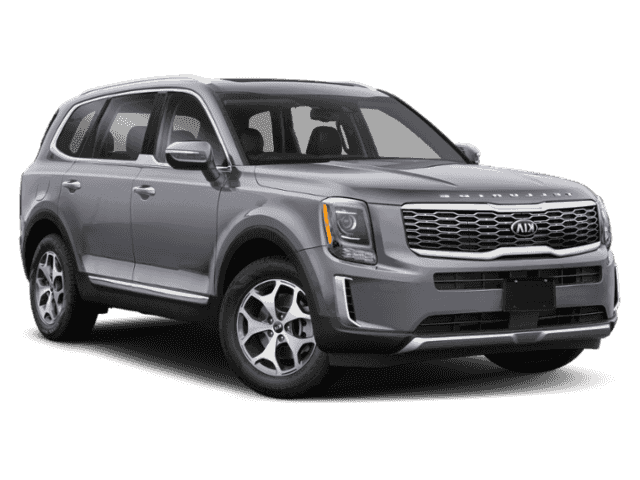
TSB: SERVICE ACTION: AVN 5 WIDE SOFTWARE UPDATE BLUETOOTH MEMORY ISSUE (SA386) – This bulletin provides the procedure for updating the AVN 5 WIDE software on some 2020MY Telluride (ON) produced from March 23, 2019 through April 30, 2019 and Soul (SK3) vehicles produced from February 18, 2019 to May 2, 2019, which may experience Bluetooth and navigation connection and/or memory issues.
2 Affected Products
Vehicles
| GROUP
ELE | MODEL
2020MY | |
| NUMBER
180 (Rev 1, 06/20/2019) | DATE
May 2019 | |
| TECHNICAL SERVICE BULLETIN | ||
| SUBJECT:
SERVICE ACTION: AVN 5 WIDE SOFTWARE UPDATE BLUETOOTH MEMORY ISSUE (SA386) | ||
NOTICE
This bulletin has been revised to include additional information. New/revised sections of this bulletin are indicated by a black bar in the margin area.
This bulletin provides the procedure for updating the AVN 5 WIDE software on some 2020MY Telluride (ON) produced from March 23, 2019 through April 30, 2019 and Soul (SK3) vehicles produced from February 18, 2019 to May 2, 2019, which may experience Bluetooth and navigation connection and/or memory issues. To correct this concern, perform the head unit software update procedure outlined in this bulletin. Before conducting the procedure, verify that the vehicle is included in the list of affected VINs.
NOTICE
A Service Action is a repair program without customer notification that is performed during the warranty period. Any dealer requesting to perform this repair outside the warranty period will require DPSM approval.
Repair status for a VIN is provided on WebDCS (Service → Warranty Coverage → Warranty Coverage Inquiry → Campaign Information). Not completed Recall / Service Action reports are available on WebDCS (Consumer Affairs → Not Completed Recall → Recall VIN → Select Report), which includes a list of affected vehicles.
This issue number is SA386.
Software Update Procedure:
- Turn engine ON and record customer radio presets.
- Press the SETUP hard key on the head Telluride (ON) shown; Soul (SK3) will be similar.
NOTICE
All images used throughout this service bulletin are for reference use only. Disregard time and date displayed in each step.
- Select “General”.
- Select “System Info” and then select “SW Info/Update”.
- Verify that an earlier software version is currently installed. Refer to “Software Version” table on page 5.
- Confirm the available software version is applicable to either (ON) or (SK3) model:
ON.USA.S5W_M.V001.002.190508
SK3.USA.S5W_M.V002.002.190508
Select “Yes”.
- Select “Quick Update” from the list and then select “OK”.
- Select “Yes” to begin software update.
TSB: SA386 Telluride (ON) May 2019
Allow for the following nine (9) screen sequences to complete.
Do NOT press any hard keys or touch screen unless instructed to do so. (Example: On screen six (6) select “Confirm” to continue.
- Select “OK” to complete update.
- Repeat steps 2 and 3 of the Update Software Procedure outlined on page two (2) of this bulletin. Select “Reset”.
- Select “Yes” to reset system settings to factory defaults.
- The “Reset to Factory Defaults” message will appear for a few seconds and clear.
- Select “System Info” and then select “SW Info/Update”.
- Repeat steps 2 through 4 of the Update Software Procedure outline on page two (2) of this bulletin to confirm SW Ver. was installed correctly.
- Tap the “clock time display”
- If applicable, confirm that the “Daylight Saving Time” check box is selected. Verify normal radio operation.
- Restore radio presets recorded in step 1 and shut engine off.
| Model | Software Version (SW Ver.) | |
| ON | Before | ON.USA.S5W_M.V001.001.190125 |
| After | ON.USA.S5W_M.V001.002.190508 | |
| SK3 | Before | SK3.USA.S5W_M.V002.001.190125 |
| After | SK3.USA.S5W_M.V002.002.190508 |
AFFECTED VEHICLE RANGE:
| Model | Production Date Range |
| Telluride (ON) | March 23, 2019 through April 30, 2019 |
| Soul (SK3) | February 18, 2019 through May 2, 2019 |
REQUIRED TOOL:
| Tool Name | Figure | Comments |
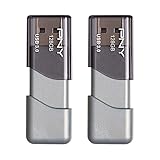
| USB Drive | Includes both (ON) and (SK3) model Software Updates
Auto-shipped to Dealers. Additional USB upgrade sticks can be ordered through Snap-on Business Solutions at (888) 542-1011. |
WARRANTY INFORMATION:
N Code: N99 C Code: C99
| Claim Type | Causal P/N | Qty. | Repair Description | Labor Op Code | Op Time | Replacement P/N | Qty. |
| V | 96560 S9020CDD | 0 | (SA386) AVN 5 Wide Bluetooth Memory Issue (ON) | 190A20R0 | 0.4 M/H | N/A | 0 |
| 96560 K0030FHV | (SA386) AVN 5 Wide Bluetooth Memory Issue (SK3) | 190045R0 | 0.4 M/H |
NOTICE
VIN inquiry data for this repair is provided for tracking purposes only. Kia retailers should reference SA386 when accessing the WebDCS system.
NUMBER 180 (Rev 1, 06/20/2019)
DATE May 2019

- USB-C 2-in-1 storage OTG: The Lexar JumpDrive Dual Drive D40E features USB Type-A and Type-C connectors in a slim, portable form factor for easy device compatibility
- Transfer speeds up to 100MB/s: Based on internal testing, performance may vary depending upon the host device, interface, and usage conditions. 1MB=1,000,000 bytes
- Plug and Play: Widely compatible with USB Type-C smartphones, tablets, laptops, Macs, and traditional Type-A devices, no software installation required. The 360° swivel design allows for easy switching between connectors without the hassle of losing a cap
- Durable & Compact: The Lexar D40E USB memory stick features a metal enclosure, withstands temperatures from 0° to 50° C (32°F to 122°F), and is lightweight at 26g with dimensions of 70.4 x 16.9 x 11.7mm
- Security & Warranty: Securely protects files using an advanced security software solution with 256-bit AES encryption. Backed by a Lexar 3-year limited warranty

- GOOD VALUE PACKAGE - 1 Pack 32GB Memory Stick USB 2.0 Flash Drives with great cost performance and high quality.
- BIG CAPACITY - The available capacity: 29.10GB-29.8GB, You can save the data of movies, music, photos, designs, programs, manuals, handouts in a high speed.Good performance in digital data storing, transferring and sharing with families, friends, workmates, clients and machines.
- EASY TO USE & PLUG AND WORK - Support windows 7 / 8 / 10 / Vista / XP / 2000 / ME / NT Linux and Mac OS, Compatible with USB2.0 and below.
- TWISTTURN DESIGN & EASY CARRY - The metal clip rotates 360° round the ABS plastic body which with rubber oil skin feeling finish. The capless design can avoid lossing of cap, and providing efficient protection to the USB port.
- WARRANTY & SUPPORT - SIMMAX logo is laser printed on the USB connector surface, our products are of good quality and we promise that any problem about the product within one year since you buy.
- The durable, light-weight design of the Turbo Attaché 3 USB 3.0 Flash Drive is the essential mobile storage solution
- Perfect for transferring large files such as movies, videos, photos, music & documents
- Transfer speeds up to 10 times faster than standard USB 2.0 flash drives
- Convenient sliding collar, and cap-less design protects your content when not in use
- Compatible with most PC and Mac laptop and desktop computers with USB 3.0 ports


- High-speed USB 3.0 performance of up to 150MB/s(1) [(1) Write to drive up to 15x faster than standard USB 2.0 drives (4MB/s); varies by drive capacity. Up to 150MB/s read speed. USB 3.0 port required. Based on internal testing; performance may be lower depending on host device, usage conditions, and other factors; 1MB=1,000,000 bytes]
- Transfer a full-length movie in less than 30 seconds(2) [(2) Based on 1.2GB MPEG-4 video transfer with USB 3.0 host device. Results may vary based on host device, file attributes and other factors]
- Transfer to drive up to 15 times faster than standard USB 2.0 drives(1)
- Sleek, durable metal casing
- Easy-to-use password protection for your private files(3) [(3)Password protection uses 128-bit AES encryption and is supported by Windows 7, Windows 8, Windows 10, and Mac OS X v10.9 plus; Software download required for Mac, visit the SanDisk SecureAccess support page]

- 【16GB Flash Drive】USB flash drives with 16GB capacity, meet your needs of daily use on work, school, home and travelling for photos, music, videos, files storage and transfer. IMEASON thumb drives can be used to store different files, easy to data backup.
- 【Metal Swivel Cap Design】USB thumb drive is metal swivel cover provides extra protection for the usb thumbdrive connector, no usb drive cap to lose; keychain design makes it easier to carry without worrying lose it.
- 【Wide Compatibility】USB drive supports Windows 7/8/10/11 / Vista / XP / Unix / 2000 / ME / NT Linux and Mac OS, also Supports USB 2.0 and 1.1 ports. USB Stick support TV, desktop, notebook computer, car, audio and other device. The USB Memory Stick is your great data storage and transfer companion with traveling and working.
- 【Easy to use】usb memory stick is plug and play without any software installation. Just simply plug the Flashdrive into the port of your USB-compatible devices such as computer, laptop to start data storage or transmission.
- 【What You Get】16 GB USB Flash Drive Thumb Drive, The default format of the usb storage flash drive is FAT32.
This product presentation was made with AAWP plugin.