SUBJECT:
SD MAP CARD INSPECTION, INSTALLATION AND NAVIGATION SYSTEM FUNCTIONALITY VALIDATION
2014MY vehicles produced with AVN now include an external memory SD Map Card which allows for easier future software upgrades and enhances the user experience. It is important that before transportation sign off takes place, the dealership validates the presence of the SD Map Card and the functionality of the navigation system.
I: Navigation Equipped 2014MY Sorento with P/D Prior to March 22, 2013
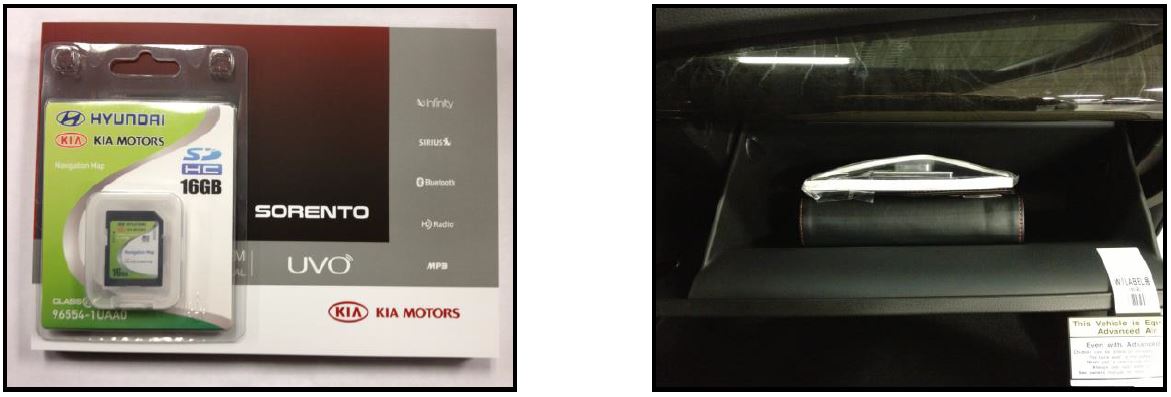
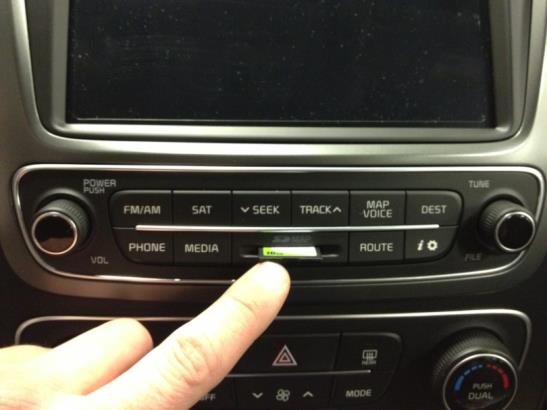
- The SD card will not yet be installed into the head unit on 2014 Sorento (XMa) models produced before March 22, 2013. In those vehicles the map card will be found in the glove box.
- The SD card must be removed from the package in the glove box, installed into the head unit and tested according to the instructions listed below.
CAUTION
Please exercise caution when inserting the SD card to prevent damage to the audio face-plate.
II: All Navigation Equipped 2014MY Vehicles
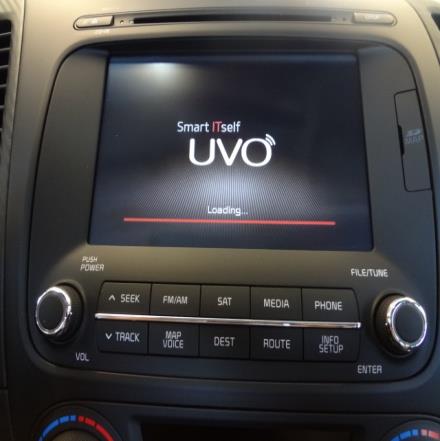
- To validate the presence of the card and the functionality of the navigation system, switch the ignition to the “ON” (vehicle off) or “ACC” position and allow the system to load (Fig.1~2). This may take 10~15 seconds.
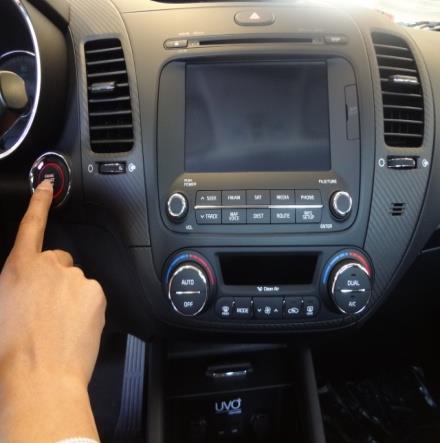
(Pictures shown are only for demonstration purposes)
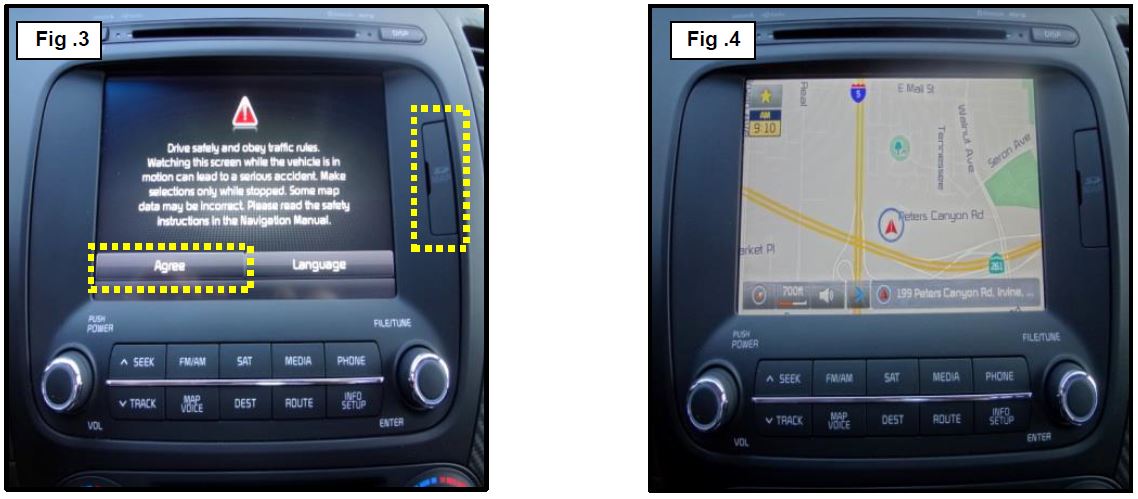
- Press the Agree Button (Fig. 3). If the navigation map screen is displayed, the card is in the slot and the navigation system is operational (Fig. 4).
*NOTICE
- If the system does not load, an error message will appear; please check to see if the card is present in the slot (Fig. 3).
- Location and configuration of the SD card slot may vary by model. 2014MY Forte shown.
No products found.
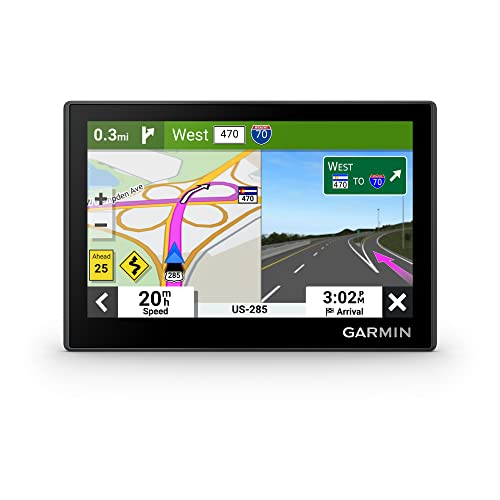
- Bright, high-resolution 5” glass capacitive touchscreen display lets you easily view your route
- Get more situational awareness with alerts for school zones, speed changes, sharp curves and more
- View food, fuel and rest areas along your active route, and see upcoming cities and milestones
- View Tripadvisor traveler ratings for top-rated restaurants, hotels and attractions to help you make the most of road trips
- Directory of U.S. national parks simplifies navigation to entrances, visitor centers and landmarks within the parks

- Vehicle dash mount for use on any stable surface
- Securely holds your GPS in vehicle.Keep your device in easy sight with this portable friction mount, and then remove it from your vehicle when you arrive at your destination
- Does not slide or detach while vehicle is in motion
- Adjustable to position GPS in a variety of angles
- Ships in Certified Frustration-Free Packaging

This product presentation was made with AAWP plugin.