SUBJECT:
ENABLING WI-FI ON UVO eServices W/PREMIUM NAVIGATION EQUIPPED VEHICLES (CUSTOMER GUIDE)
Along with the Download Center, and other new UVO features, comes the addition of Wi-Fi capability for the vehicle. Beginning with UVO eServices w/Premium Navigation equipped 2015 MY Optima (QF) vehicles, you can now connect your vehicle to a personal hotspot, such as a standalone MiFi device or a smartphone, when configured as a hotspot. Follow the procedure outlined below to configure the head unit and the hotspot device.
Head Unit Configuration:
- Press the SETUP hard key and select the Wi-Fi icon on the screen.
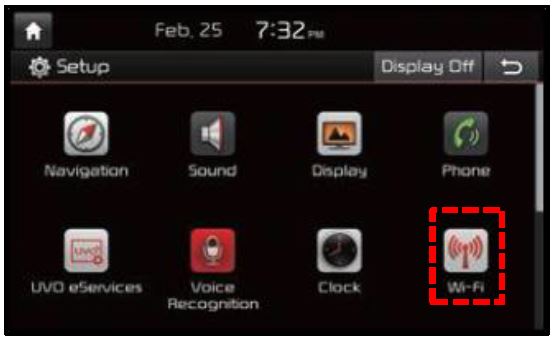
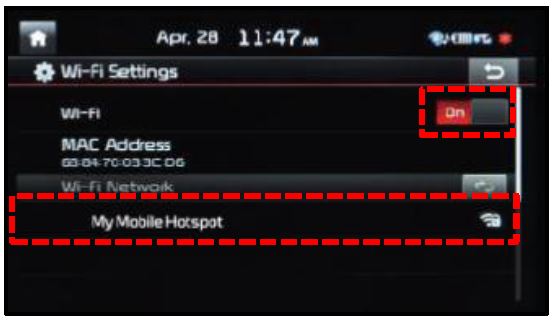
- Move the Wi-Fi toggle button to the ON Once the Wi-Fi is on, select the hotspot device from the on -screen list and enter any required credentials to make the connection.
Hotspot Device Configuration:
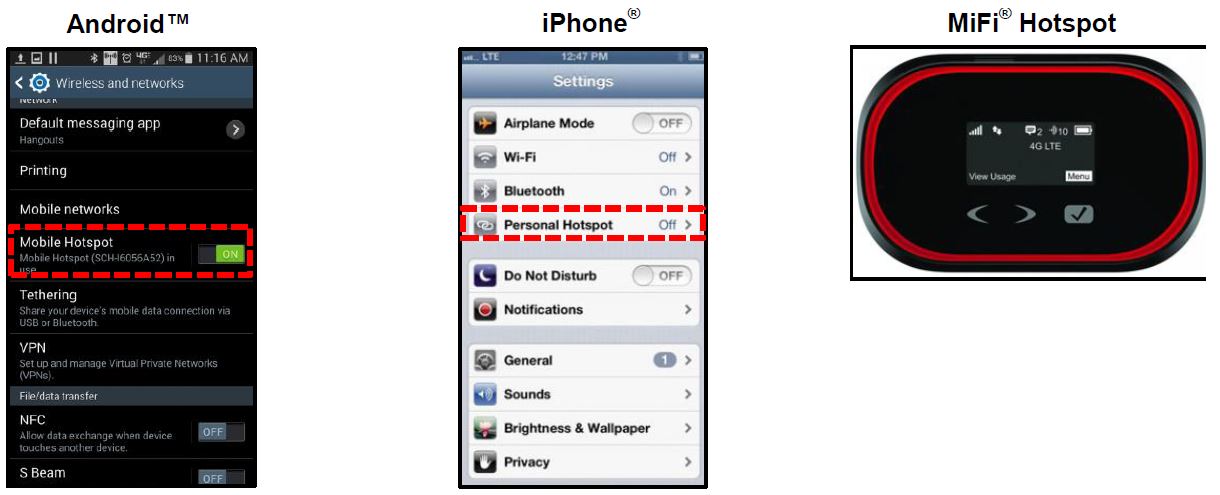
- Refer to the instructions included with the particular device in order to enable hotspot functionality , if available.
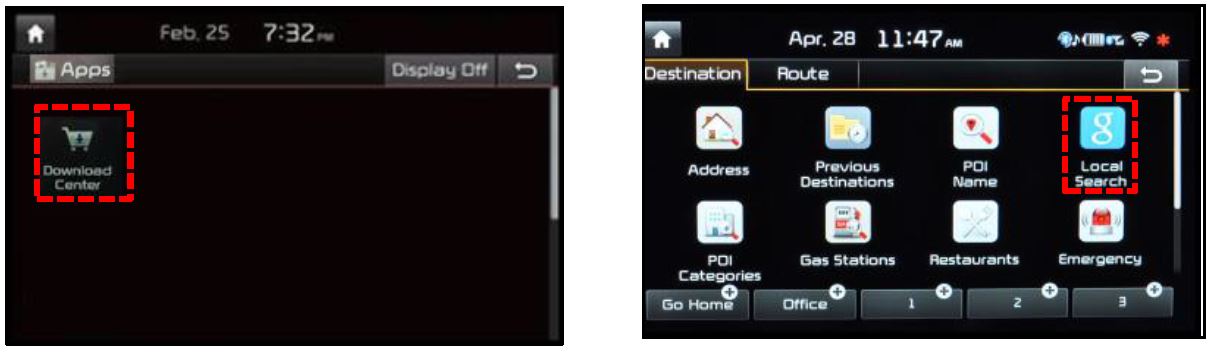
- Once connected to Wi-Fi, you can access the Download Center and Local Search Powered by Google.
No products found.
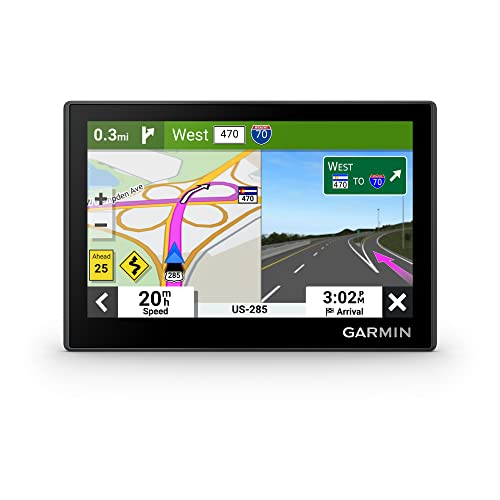
Garmin Drive™ 53 GPS Navigator
- Bright, high-resolution 5” glass capacitive touchscreen display lets you easily view your route
- Get more situational awareness with alerts for school zones, speed changes, sharp curves and more
- View food, fuel and rest areas along your active route, and see upcoming cities and milestones
- View Tripadvisor traveler ratings for top-rated restaurants, hotels and attractions to help you make the most of road trips
- Directory of U.S. national parks simplifies navigation to entrances, visitor centers and landmarks within the parks

Garmin 010-10908-02 Portable Friction Mount - Frustration Free Packaging
- Vehicle dash mount for use on any stable surface
- Securely holds your GPS in vehicle.Keep your device in easy sight with this portable friction mount, and then remove it from your vehicle when you arrive at your destination
- Does not slide or detach while vehicle is in motion
- Adjustable to position GPS in a variety of angles
- Ships in Certified Frustration-Free Packaging

This product presentation was made with AAWP plugin.