
January 25, 2022 NHTSA CAMPAIGN NUMBER: 22V031000
Air bags that do not deploy as intended can increase the risk of injury in a crash.
NHTSA Campaign Number: 22V031
Manufacturer Kia Motors America
Components AIR BAGS
Potential Number of Units Affected 410,619
Summary
Kia Motors America (Kia) is recalling certain 2017-2019 Sedona, Soul, Soul EV, 2017-2018 Forte, and 2017 Forte Koup vehicles. The Air Bag Control Unit (ACU) cover may contact a memory chip on the printed circuit board and damage the electrical circuit. Circuit damage may result in deactivated air bags that will not deploy in a crash.
Remedy
Dealers will inspect the ACU, and either update the software or replace the unit, as necessary. Repairs will be performed free of charge. Owner notification letters were mailed March 21, 2022. Owners may contact Kia customer service at 1-800-333-4542. Kia’s number for this recall is SC226.
Notes
Owners may also contact the National Highway Traffic Safety Administration Vehicle Safety Hotline at 1-888-327-4236 (TTY 1-800-424-9153), or go to www.nhtsa.gov.
Check if your Kia has a Recall
AIRBAG CONTROL UNIT (ACU) REPLACEMENT FOR DTC B1620 OR ACU SOFTWARE UPDATE (SC226)
This bulletin provides information to replace the Airbag Control Unit (ACU) or to update the ACU software logic on certain Kia vehicles listed below.
| Model | Production Date Range |
| 2017-2019 MY Soul (PS EV) | May 18, 2017 to September 28, 2018 |
| 2017-2019 MY Soul (PS) | July 25, 2016 to December 24, 2018 |
| 2017-2019 MY Sedona (YP) | July 12, 2016 to January 10, 2019 |
| 2017-2018 MY Forte (YD/YDm) | March 2, 2017 to July 27, 2018 |
| 2017 MY Forte Koup (YD) | October 4, 2016 to October 4, 2016 |
Due to variances in the manufacturing of the Airbag Control Unit (ACU), contact between the ACU cover and the Electrically Erasable Programmable Read-Only Memory (EEPROM) chip on the ACU’s Printed Circuit Board (PCB) may occur and cause damage to the EEPROM’s soldering joints resulting in an open circuit. If this condition occurs, the Airbag Warning Light (ABWL) will illuminate with diagnostic trouble code B1620 and the vehicle’s airbags will not deploy in crashes where deployment is necessary, thereby increasing the risk of injury.
- If the ABWL is illuminated and the ABWL is due to the existence of diagnostic trouble code B1620, dealers are to replace the ACU with a new improved one.
- If the ABWL is not illuminated, dealers are to update the ACU software logic to ensure deployment of the airbag(s) in the event of a crash that warrants such protection even if the recall condition related to DTC B1620 occurs in the future.
Follow the procedure outlined in this publication to replace the ACU or to update the ACU software logic. Before conducting the procedure, verify that the vehicle is included in the list of affected VINs.
NOTICE
There is no charge to the vehicle owner for this repair. Under applicable law, you may not sell or otherwise deliver any affected vehicle until it has been repaired pursuant to the procedures set forth in this bullet in.
Software Check:
Confirm and note the existing ROM ID of the Airbag Control Unit (ACU).
Perform the ‘Manual Upgrade Procedure’ only if one of the following conditions occur:
- Auto Mode S/W update fails
- DTC B1620 present after S/W update
If a “No need for S/W update” pop-up is displayed on KDS in ‘Auto Mode’, then the software upgrade is not required because the updated S/W has been already installed.. (The ACU part does not need this upgrade event)
Note: This pop-up notice may display if the ACU does not need or match the selected update. Please, check the ACU parts number and select correct match by referring the Manual upgrade list. If the pop-up notice contines to display, even though ACU part is correctly matched to the Manual upgrade list in this bulletin, then the ACU part will not require the upgrade event.
If automatic upgrade fails, Do Not turn the ignition key OFF, and continue to conduct Manual mode upgrade maintaining IG key on condition.
IMPORTANT
If automatic upgrade fails, DO NOT turn the ignition key OFF, and continue to conduct Manual mode upgrade maintaining IG key on condition
NOTICE
If after ‘Auto Mode’ software installation is completed, DTC B1620 has occurred after upgrade event has done, even though there was no such a DTC B1620 before upgrade, please, reconduct Manual mode upgrade in order to remove DTC B1620.
ECU Upgrade Procedure:
To correct this condition, the ECU should be reprogrammed using the KDS download, as described in this bulletin.
| Upgrade Event Name |
| 586. PS EV ACU OPERATION LOGIC IMPROVEMENT |
| 587. PS PE ACU OPERATION LOGIC IMPROVEMENT |
| 588. YP PE ACU OPERATION LOGIC IMPROVEMENT |
| 589. YDm ACU OPERATION LOGIC IMPROVEMENT |
| 597. YD PE ACU OPERATION LOGIC IMPROVEMENT |
NOTICE
- Confirm a fully charged battery (12.3 volts or higher is necessary) is used or utilize a fully charged jump starter box connected to the battery.
- Ensure the KDS GDS is sufficiently charged at 60% or higher prior to Ensure the KDS GDS is sufficiently charged at 60% or higher prior to reflash.
- All ECU upgrades must be performed with the ignition set to the ‘ON’ position unless otherwise stated.
- Damaged VCI II units should not be used and promptly be used and promptly replaced.
- Be careful not to disconnect the VCI-II connected to the vehicle during the ECU upgrade procedure.
- DO NOT start the engine during ECU upgrade.
- DO NOT turn the ignition key ‘OFF’ or interrupt the power supply during ECU upgrade.
- When the ECU upgrade is completed, turn the ignition ‘OFF’ and wait 10 seconds before starting the engine.
- ONLY use approved ECU upgrade software designated for the correct application.
IMPORTANT
It is recommended to ALWAYS check the Electronic Parts Catalog (EPC) to locate the ECU Part Number respective to Auto/Manual Mode ROM IDs. DO NOT reference the parts label affixed to the ECU.
NOTICE
Before attempting an ECU upgrade on any Kia model, make sure to first determine whether the applicable model is equipped with an immobilizer security system. Failure to follow proper procedures may cause the PCM to become inoperative after the upgrade and any claims associated with this rep air may be subject to chargeback.
ROM ID INFORMATION TABLE:
Upgrade Event #586 (PS EV), #587 (PS), #588 (YP), #589 (YDm) and #597 (YD)
| Model | Controller | ECU P/No. | ROM ID | |
| Previous | New | |||
| PS EV | ACU | 95910 E4000
95910 E4050 | 481H6D9D
492H6D9D | 4D0H6D9D |
| 95910 E4100 | 4D1H6D9D | |||
| 95910 E4200 | 4D2H6D9D | |||
| PS | ACU | 95910 B2150 | 490H6D9D
492H6D9D | 4D3H6D9D |
| 95910 B2250 | 4D4H6D9D | |||
| 95910 B2350 | 4D5H6D9D | |||
| 95910 B2450 | 4D6H6D9D | |||
| 95910 B2550 | 4D7H6D9D | |||
| 95910 B2050
95910 B2600 | 4D8H6D9D | |||
| YP | ACU | 95910 A9000
95910 A9050 | 132M3114
133M3114 | 150M3114 |
| 95910 A9100 | 151M3114 | |||
| 95910 A9200 | 152M3114 | |||
| 95910 A9300 | 153M3114 | |||
| 95910 A9400 | 154M3114 | |||
| 95910 A9500 | 155M3114 | |||
| 95910 A9600 | 156M3114 | |||
| 95910 A9700
95910 A9750 | 157M3114 | |||
To verify the vehicle is affected, be sure to check the Calibration Identification of the vehicle’s ECM ROM ID and reference the Information Table as necessary.
| Model | Controller | ECU P/No. | ROM ID | |
| Previous | New | |||
| YD | ACU | 95910 A7650 | 931M3114
932M3114 | 951M3114 |
| 95910 A7700 | 952M3114 | |||
| 95910 A7750 | 953M3114 | |||
| 95910 A7850 | 955M3114 | |||
| 95910 A7920
95910 A7950 | 956M3114 | |||
| 95910 B0000 | 957M3114 | |||
| 95910 B0100 | ||||
| YDm | 95910 B0000 | |||
| 95910 B0100 | ||||
NOTICE
Prior to performing the ECU upgrade, be sure to check that the KDS is fully charged.
1. Connect the VCI-II to the OBD-II connector, located under the driver’s side of the instrument panel.
NOTICE
The ECU upgrade function on KDS operates wirelessly. It is not necessary to perform the upgrade via USB cable.
2. With the ignition ON, turn ON the KDS tablet.
Select ‘KDS’ from the home screen.
3. Confirm communication with VCI (A) and then configure the vehicle (B) using the ‘AUTO VIN’ (C) feature.
4. Select ‘ECU Upgrade’.
5. The KDS will check the server for recently uploaded Events and then automatically download Upgrade Event(s) #586–589, 597 (as applicable).
NOTICE
The vehicle must be identified in Vehicle Selection to download an Event for that vehicle.
6. Select Auto Mode.
CAUTION
Do NOT attempt to perform a Manual Mode upgrade UNLESS Auto Mode fails. Always follow the instructions given on the KDS in either Auto or Manual mode.
7. Select AIRBAG system and the corresponding software event for the vehicle.
• 586. PS EV ACU OPERATION LOGIC IMPROVEMENT
• 587. PS PE ACU OPERATION LOGIC IMPROVEMENT
• 588. YP PE ACU OPERATION LOGIC IMPROVEMENT
• 589. YDm ACU OPERATION LOGIC IMPROVEMENT
• 597. YD PE ACU OPERATION LOGIC IMPROVEMENT
8. The ECU upgrade will begin and the progress of the upgrade will appear on the bar graph. Upgrade part (1/2) (E) will download the upgrade event to the VCI-II. Upgrade part (2/2) (F) will upgrade the ECU.
CAUTION
Do not touch the system buttons (like ‘Back’, ‘Home’, ‘etc.’) while performing ECU Upgrade.
9. If a “Communication Fail” screen appears, verify that the VCI-II and KDS are communicating properly. Select ‘OK’ and restart the from step 4.
NOTICE
If an error notice continues to appear or if the upgrade cannot be performed, DO NOT disconnect the KDS/VCI-II. Contact GIT America Help Desk at (888) 542-4371 or Techline.
10. When instructed on the KDS, turn the ignition OFF for ten (10) seconds then back on. Select ‘OK’ to continue.
11. Once the upgrade is complete, select ‘OK’ to finalize the procedure.
12. When prompted, select ‘YES’ to check for Diagnostic Trouble Codes (DTC) and erase any DTCs stored such as EPS, ESC, and TPMS that may have been set during the upgrade.
13. Start the engine to confirm normal operation of the vehicle.
Manual Upgrade Procedure:
Manual Mode ECU Upgrade Passwords
| Menu | Password |
| PSEV ACU: 95910-E4000/050 | 4000 |
| PSEV ACU: 95910-E4100 | 4100 |
| PSEV ACU: 95910-E4200 | 4200 |
| PS PE ACU: 95910-B2150 | 2100 |
| PS PE ACU: 95910-B2250 | 2200 |
| PS PE ACU: 95910-B2350 | 2300 |
| PS PE ACU: 95910-B2450 | 2400 |
| PS PE ACU: 95910-B2550 | 2500 |
| PS PE ACU: 95910-B2050/600 | 2600 |
| YP PE ACU: 95910-A9000/050 | 9000 |
| YP PE ACU: 95910-A9100 | 9100 |
| YP PE ACU: 95910-A9200 | 9200 |
| YP PE ACU: 95910-A9300 | 9300 |
| YP PE ACU: 95910-A9400 | 9400 |
| YP PE ACU: 95910-A9500 | 9500 |
| YP PE ACU: 95910-A9600 | 9600 |
| YP PE ACU: 95910-A970/750 | 9700 |
| YDm ACU: 95910-B0000/100 | 0100 |
| YD PE ACU: 95910-A7650 | 7650 |
| YD PE ACU: 95910-A7700 | 7700 |
| YD PE ACU: 95910-A7750 | 7750 |
| YD PE ACU: 95910-A7850 | 7850 |
| YD PE ACU: 95910-A7920/950 | 7920 |
| YD PE ACU: 95910-B0000/100 | 0100 |
1. Within the ECU Upgrade screen displayed, select Manual Mode.
2. Select the AIRBAG system under the System selection menu. Select Upgrade Event #586-589, 597 and select Upgrade to continue.
3. Select the appropriate control unit part number with reference to the ROM ID Information Table on page 3, and select OK.
4. Enter the appropriate password from the Manual Mode password table above and select OK.
5. The upgrade will begin and the progress of the upgrade will appear on the bar graph.
6. When instructed on the KDS, turn the ignition OFF for ten (10) seconds then back on. Select OK.
7. Once the upgrade is complete, select OK to finalize the procedure.
8. When prompted, select YES to check for Diagnostic Trouble Codes (DTC) and erase any DTCs stored such as EPS, ESC, and TPMS that may have been set during the upgrade.
9. Start the engine to confirm proper operation of the vehicle.
Replacement Procedure:
1. Replace the Airbag Control Unit (ACU) by referring to the Restraint → SRSCM → SRS Control Module (SRSCM) → Repair Procedures” chapter in the applicable Shop Manual on KGIS.
AFFECTED VEHICLE RANGE:
| Model | Production Date Range |
| 2017-2019 MY Soul (PS EV) | May 18, 2017 to September 28, 2018 |
| 2017-2019 MY Soul (PS) | July 25, 2016 to December 24, 2018 |
| 2017-2019 MY Sedona (YP) | July 12, 2016 to January 10, 2019 |
| 2017-2018 MY Forte (YD/YDm) | March 2, 2017 to July 27, 2018 |
| 2017 MY Forte Koup (YD) | October 4, 2016 to October 4, 2016 |
REQUIRED PART:
| Part Name | Model | Old P/N | New P/N | Qty. |
| Airbag Control Unit (ACU) | Soul (PS EV) | 95910 E4000
95910 E4050 | 95910 E4050QQK | 1 |
| Soul (PS) | 95910 B2050
95910 B2600 | 95910 B2600QQK | 1 | |
| Sedona (YP) | 95910 A9000
95910 A9050 | 95910 A9050QQK | 1 | |
| Forte/Forte Koup (YD) | 95910 A7920
95910 A7950 | 95910 A7950QQK | 1 | |
| Forte (YDm) | 95910 B0000
95910 B0100 | 95910 B0100QQK | 1 |
Note: Replacement of ACU part is only allowed for ‘Vehicle In’ with DTC B1620.
SC226 – 2017-2019 MY SEDONA, SOUL, SOUL EV, 2017-2018 MY FORTE, 2017 MY FORTE KOUP VEHICLES
ACU COVER CONTACT SAFETY RECALL CAMPAIGN
Q & A
March 17, 2022
Q1. What type of campaign is Kia conducting?
Kia America, Inc., pursuant to the National Traffic and Motor Vehicle Safety Act, is conducting a Safety Recall Campaign to remedy a defect that can impair the vehicle’s airbag function.
Q2. What vehicles are affected by the recall?
Certain 2017-2019 MY Sedona vehicles manufactured from July 12, 2016 through January 10, 2019.
Certain 2017-2019 MY Soul vehicles manufactured from July 25, 2016 through December 24, 2018.
Certain 2017-2019 MY Soul EV vehicles manufactured from May 18, 2017 through September 28, 2018.
Certain 2017-2018 MY Forte vehicles manufactured from March 2, 2017 through July 27, 2018.
All 2017 MY Forte Koup vehicles manufactured on October 4, 2016.
Q3. How many customer vehicles are affected by this recall?
Total: 410,619 (Sedona: 47,690 / Soul: 253,281 / Soul EV: 953 / Forte: 108,693 / Forte Koup: 2)
Q4. What is the concern with the ACU Cover?
Due to variances in the manufacturing of the Airbag Control Unit (ACU), contact between the ACU cover and the Electrically Erasable Programmable Read-Only Memory (EEPROM) chip on the ACU’s Printed Circuit Board (PCB) may occur and cause damage to the EEPROM’s soldering joints resulting in an open circuit. If this condition occurs, the Airbag Warning Light will illuminate with Diagnostic Trouble Code (DTC) B1620 and the vehicle’s airbags will not deploy in crashes where deployment is necessary, thereby increasing the risk of injury.
Q5. Can you describe the recall campaign and fix?
If the Airbag Warning Light (ABWL) is illuminated and the ABWL is due to the existence of DTC B1620, the dealer will replace the ACU with an improved one. If the ABWL is not illuminated, a software update will be installed to the ACU to ensure deployment of the airbag(s) in the event of a crash that warrants such protection even if the recall condition related to DTC B1620 occurs in the future.
Q6. How will owners of the affected vehicles be notified?
Kia will send a letter notifying owners of the affected vehicles by first class mail beginning on March 21, 2022.
Q7. What should vehicle owners do when they receive the notification?
Upon receipt of the letter, owners are to contact their authorized Kia dealer to arrange to have the recall performed on their vehicle.
Q8. How was the issue discovered?
Through the regular monitoring of field information.
Q9. Will this cost vehicle owners any money?
No. Kia will perform the recall repair at no cost to the customer.
Q10. What about customers who may have already paid to have this situation corrected?
If the customer has incurred expense to remedy this issue prior to the date of this notice, the customer may have the opportunity to obtain reimbursement for that expense. Customers may submit their receipts online to Kia via the Owners section (Contact Kia) of www.kia.com OR mail their documentation with the completed Request for Reimbursement Form included with this letter directly to Kia for review and consideration at the following address:
Consumer Assistance Center
Kia America, Inc.
P.O. Box 52410
Irvine, CA 92619-2410
1-800-333-4542
Q11. Are there any restrictions on an owner’s eligibility?
No.
Q12. If a customer has an immediate question, where can they get further information?
The customer can contact their local authorized Kia dealership or call Kia’s Consumer Assistance Center at 1-800333-4KIA (4542), Monday through Friday, 5 AM to 6 PM Pacific Time, or via the internet at www.kia.com (Owner’s Section).
SC226
2017-2019MY Sedona, Soul, Soul EV, 2017-2018MY Forte and 2017 Forte Koup
ACU Cover Contact
Basis of Safety Defect Determination 573.6(c)(6)
July 27, 2021
Kia Corporation (Kia HQ) receives report from Service Team in the Korean market regarding illumination of the Airbag Warning Light (ABWL) in a 2019MY Sedona due to diagnostic trouble code (DTC) B1620 (Airbag Control Unit (ACU) internal fault). Kia HQ collects ACU from subject 2019MY Sedona for further investigation. Kia HQ unable to duplicate DTC B1620. Kia HQ continues to monitor.
September 8, 2021
Kia HQ receives second report from Service Team in the Korean market regarding illumination of the ABWL in a 2019MY Sedona due to DTC B1620. Kia HQ collects the ACU from the subject 2019MY Sedona for further investigation. Kia HQ confirms existence of DTC B1620. Kia HQ decides to collect warranty returned parts for further evaluation.
October 26, 2021 – January 11, 2022
Kia HQ receives an additional warranty returned ACU with B1620 from the Korean market for inspection and confirms soldering issue at joints between the EEPROM and Printed Circuit Board. Kia HQ conducts analysis of ACU production records with supplier and related warranty claims for potentially affected vehicles. Kia HQ determines the ACU internal fault (DTC B1620) is caused by contact between the ACU cover and the EEPROM on the Printed Circuit Board (PCB) resulting in illumination of the airbag warning light.
January 12-14, 2022
Kia HQ notifies Kia North America (Kia NA) Safety Office of its investigation results and identifies certain 2017-2019MY Sedona, Soul, Soul EV, 2017-2018MY Forte and 2017MY Forte Koup may be affected by this issue.
Kia NA Safety Office conducts analysis of ACU warranty replacement claims due to DTC B1620 for the affected U.S. models and model years and identifies a total of 947 potentially related warranty claims [0.23%]. A breakdown of claims by model includes: 2017-2019 Sedona [93 claims (0.14%), received from 9/24/17—1/13/22]; 2017-2019 Soul [830 claims (0.34%) received 4/21/17—1/13/22], 2017-2019MY Soul EV [0 claims (0.00%)] 2017-2018MY Forte [24 claims (0.01%) received from 8/15/17— 1/13/22] and 2017MY Forte Koup [0 claims; 0.00%].
January 18, 2022
Kia NA decides to conduct a safety recall. 13 customer complaints; 81 techline cases; 947 warranty claims. No fatalities, injuries, crashes or fires.
12 Affected Products
Vehicles
| MAKE | MODEL | YEAR |
| KIA | FORTE | 2017-2018 |
| KIA | FORTE KOUP | 2017 |
| KIA | SEDONA | 2017-2019 |
| KIA | SOUL | 2017-2019 |
| KIA | SOUL EV | 2017-2019 |
14 Associated Documents
2017-2019 MY Sedona, Soul, Soul EV, 2017-2018MY Forte and 2017 Forte Koup, ACU Cover Contact, Basis of Safety Defect Determination 573.6(c)(6)
RMISC-22V031-1813.pdf 96.799KB
Recall Acknowledgement
Defect Notice 573 Report
RCLRPT-22V031-6787.PDF 217.475KB
Manufacturer Notices(to Dealers,etc) – March 17, 2022
Manufacturer Notices(to Dealers,etc) – March 17, 2022
2017-2019 MY SEDONA, SOUL, SOUL EV, 2017-2018 MY FORTE, 2017 MY FORTE KOUP VEHICLES ACU COVER CONTACT SAFETY RECALL CAMPAIGN Q & A – March 17, 2022
RMISC-22V031-8725.pdf 116.131KB
Owner Notification Letter(Part 577)
RCONL-22V031-6844.pdf 268.423KB
Owner Notification Letter(Part 577)
RCONL-22V031-1764.pdf 268.526KB
Owner Notification Letter(Part 577)
RCONL-22V031-2192.pdf 268.387KB
Remedy Instructions and TSB
RCRIT-22V031-2809.pdf 846.969KB
Recall Quarterly Report #1, 2022-1
RCLQRT-22V031-5618.PDF 211.139KB
Recall Quarterly Report #2, 2022-2
RCLQRT-22V031-7805.PDF 211.25KB
Recall Quarterly Report #3, 2022-3
RCLQRT-22V031-1535.PDF 211.345KB
Recall Quarterly Report #4, 2022-4
RCLQRT-22V031-4010.PDF 211.463KB
Latest Recalls Documents

- [Easy to Use—Work Out of the Box] + [FOXWELL 2026 New Version] FOXWELL NT604 Elite scan tool is the 2026 new version from FOXWELL, designed for car owners who want to figure out the cause of issues before fixing car problems by scanning common systems like ABS, SRS, engine, and transmission. The NT604 Elite obd2 scanner diagnostic tool comes with the latest software—no need to waste time downloading software first. Plug the scanner into the OBDII port with OBDII cable to start the diagnosis.
- [Affordable] + [Reliable Car Health Monitor] Will you be confused what happens when the warning light of ABS/SRS/transmission/check engine flashes? Instead of taking your cars to dealership, this FOXWELL scanner will help you do a thorough scanning and detection for your cars and pinpoint the root cause. Note:The device is a diagnostic tool, not a repair tool. To turn off a warning light, you must first physically repair the issue causing it. Only then can the scanner be used to clear the corresponding fault code.
- [5 in 1 Car Diagnostic Scanner] Compared with obd scanners (50-100), NT604 Elite code scanner not only includes their OBDII diagnosis but also serves as ABS/SRS scanner, transmission and check engine code reader. When it’s an odb2 scanner, you can use it to check if your car is ready for annual test through I/M readiness menu. In addition, live data stream, built-in DTC library, data play back and print, all these features are a big plus for it. Note: doesn't support maintenance functions like reset or relearn. For the SRS system, NT604 Elite can read and clear common fault codes not caused by a crash, but crash/collision data cannot be cleared.
- [Fantastic AUTOVIN] + [No extra software fee] Through the AUTOVIN menu, this NT604 Elite car scanner allows you to get your V-IN and vehicle info rapidly, no need to take time to find your V-IN and input one by one. What's more, the NT604 Elite ABS SRS scanner supports 60+ car brands from worldwide (America/Asia/Europe). You don’t need to pay extra software fee. AUTOVIN may not work on some older vehicles or certain vehicle brands. If AUTOVIN fails, please input the vin code manually or go to the Diagnostic Menu to select your vehicle model.
- [Solid protective case KO plastic carrying bag] + [Lifetime update] Almost all same price-level car scanner diagnostic tool only offers plastic bag to hold the scanner.However, NT604 Elite automotive scanner is equipped with solid protective case, preventing your obd2 scanner from damage. Then you don’t need to pay extra money to buy a solid toolbox.


- MAINTAIN PEAK PERFORMANCE AND SAFETY ON THE ROAD - Easily find and fix the problem with your vehicle using the INNOVA 5610 bidirectional scan tool. This OBD2 scanner diagnostic tool provides real-time solutions to troubleshoot issues. Access OBD2 and OEM live data with ease, making it an essential car scanner diagnostic tool. Perfect for those seeking reliable car diagnostic scanner and code readers & scan tools for vehicles.
- PRO-LEVEL FUNCTIONALITIES - Use the INNOVA 5610’s Enhanced Data Stream to view live data for advanced systems like ABS, SRS, transmission, and engine. The Special Reset Function lets you use dealership-level re-learn procedures. This car diagnostic scanner is ideal for those needing a bidirectional scan tool or mechanic tools automotive for professional repairs. Compatible with select vehicle makes and models; not universal.
- COMMAND WITH BIDIRECTIONAL CONTROLS - The INNOVA 5610 bidirectional scan tool sends commands to test functions such as fuel pump on/off or retracting the electronic parking brake. With this car scanner diagnostic for all cars, you can operate like a pro. Ideal for those seeking a car code reader and reset tool or advanced fixd car diagnostic tool capabilities. Compatible with select vehicle makes and models; not universal.
- EASY TO USE - The INNOVA 5610 OBD2 scanner diagnostic tool supports English, Spanish, and French. Easily use this scanner for car on most 1996 - 2023 (2024 coming soon) OBD2 vehicles to verify repairs. Designed for ease of operation, it’s a dependable code reader for cars and trucks and check engine code reader. To confirm vehicle coverage, please utilize Innova's Coverage Checker.
- BUY AND DRIVE WITH CONFIDENCE - Backed by ASE-Certified support, this car scanner pairs with the RepairSolutions2 app, trusted by 4M users, for wireless OBD scanner functionality. With free updates and no subscription fees, this durable car computer diagnostic reader ensures you’re prepared for any repair. A must-have diagnostic scanner for vehicles.
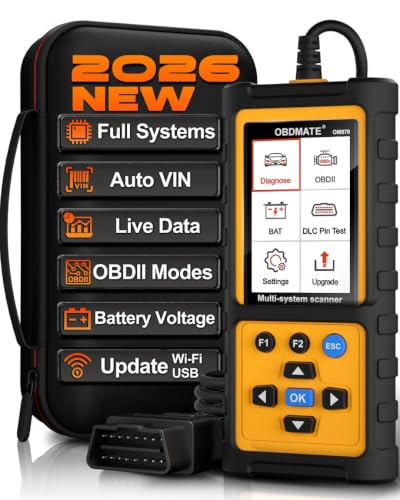
- 【Full Systems Automotive Diagnostic】 More than checking engine, ABS and SRS, OBDMATE OM970 obd2 scanner performs comprehensive diagnostics on all electric modules. It quickly scans and clears fault codes, turns off warning lights, reads live data, and features Auto-VIN technology.
- 【Live Datastream&4-in-1 Graph】 Easily view live sensor data such as RPM, fuel trims, ATF temperature, wheel speed sensor, battery voltage and so on. OM970 scan tool also supports 4-in-1 trend graphing. Spend just 3 minutes to check – and you'll know exactly what's going wrong, helping you avoid hundreds in dealership diagnostic fees.
- 【One-Click I/M Readiness&Full OBD2 Functions】 Press F1 to get an intuitive corloured form about whether your vehicle's emissions-related systems are operating properly. Help you get smog-check ready quickly. OM970 obd2 diagnostic tool supports all essential OBD2 functions you need. Plus, it features battery voltage test and DLC 16-PIN test.
- 【Straightforward Menus with Easy Navigation】 All functions are easy to understand without obscure decriptions. 3.5" Large screen delivers clear readings while keeping one-hand operation. The car diagnostic tool comes with a silicone protective case and a hard-shell carrying case, ensuring long-lived durability and drop resistance.
- 【Budget-Friendly, No Subscriptions, Free Software Updates】 Plug and play: no bluetooth pairing, monthly fees, Wi-Fi connection, or any other troublesome initial settings. OM970 obd2 scanner works out of the box with the latest software. Lifetime free upgrade.
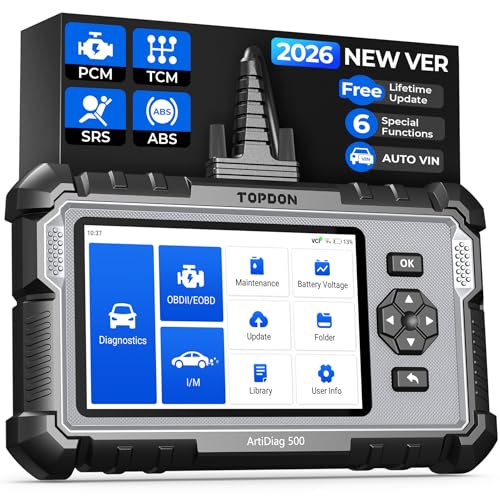
- [Brand-New ArtiDiag500] We've got everything you're looking for! Forget basic OBD2 scanners; TOPDON's ArtiDiag500 car scanner offers more. The all-new ArtiDiag500 not only includes full OBD2 functions and 4-system diagnostics but also provides DIYers with 6 maintenance services. The brand-new, cost effective AD500 is back in full swing!
- [4-System Diagnostics] DIY enthusiasts, take notice! Will these 4-system diagnostics be the treasure you've been seeking? The ArtiDiag500 code reader offers in-depth testing for the engine, transmission, ABS, and SRS systems, reading fault codes and data streams. It also visualizes real-time data in chart form, simplifying complex data for storage and future playback, aiding DIY users in problem detection.
- [6 Reset Functions] Hey, hang tight for a moment. With these 6 reset functions, the ArtiDiag500 has got you covered. It offers throttle adaptation along with reset capabilities for Oil, SAS, TPMS, BMS, and EPB. Seamlessly aligning the throttle, battery, tires, and brake pads with your vehicle, it also adjusts the steering angle and turns off the oil light. Looking to restore your car to its original condition? Look no further than the ArtiDiag500.
- [Multiple Functions] The Smart AutoVIN of this TOPDON OBD2 scanner keeps track of your manual selections for vehicle make, model, and year and directs you to the suitable diagnostics. Max 4 Live Data streams integrated for much easier data processing. Diagnostic feedback online with this diagnostic tool to help you get tough repair operations well-completed. Real-time car battery voltage monitoring identifies probable vehicle defects.
- [Wide Vehicle Coverage] ArtiDiag500 currently supports 67+ car brands, 10,000+ models, covering most vehicles worldwide. Supports cutting-edge CAN FD protocols, making it compatible with modern vehicles including 2020+ GM & Chrysler. It supports FCA AutoAuth (official Secure Gateway access) to stay up to date with newer models from Chrysler, Jeep, Fiat, and others. Plus, it's fully compatible with Android 11 for smoother use.

- [All System Diagnostics, Professional-Level Scanner] - BLCKTEC 460T is the ultimate OBD2 diagnostic tool for home mechanics and professionals. It supports all 10 OBD2 modes, reads and clears Engine/Transmission/ABS/SRS codes, performs All-System Diagnostics, offers workshop reset tools, and provides real-time live data. It helps you pinpoint issues, assess your car's condition, and prepare for SMOG checks with ease. NOTE: Function availability depends on your vehicle. Before you buy, be sure to use the Compatibility Checker on BLCKTEC website or contact our customer support to verify that the features you need are supported for your vehicle’s specific year, make, and model.
- [12+ Most Popular Reset Functions] - BLCKTEC 460T OBD2 scanner offers 12+ dealer-level service functions, including Oil Maintenance Reset, ABS Bleeding, EPB Reset, SAS(Steering Angle Sensor) Recalibration, DPF(Diesel Particulate Filter) Reset, Throttle Body Relearn, Battery Reset/Initialization, TPMS Relearn, Transmission Reset, Fluid Change Reset, Maintenance Reset and more, enabling you to perform workshop services like a pro. NOTE: Function availability depends on your vehicle. Be sure to use the Compatibility Checker on BLCKTEC website to verify that the features you need are supported for your vehicle.
- [Real-Time OBD2 and OEM Live Data, Freeze Frame Data] - BLCKTEC 460T helps diagnose vehicle issues when warning lights like Check Engine Light or ABS/SRS Light appear. It offers detailed DTC info, ECU Freeze Frame Data, and real-time OBD2 and advanced OEM live data, including Engine, Transmission, ABS, SRS, and more, making it easy to diagnose and resolve vehicle problems. You can view, graph, record, replay, and overlay up to four live data streams in a single graph for better analysis.
- [AutoVIN, AutoReLink, AutoScan, 3X Faster] - Equipped with AutoVIN technology, 460T automatically retrieves the VIN to save you time. Its AutoScan and AutoReLink features scan all of the vehicle's ECUs and detect any fault codes immediately after you plug the scanner into the vehicle's OBD2 port - no button presses required. Additionally, it regathers DTC and I/M readiness information every 30 seconds, simplifying monitor tests. 460T's advanced technology makes it 3X faster than other products.
- [Get RepairSolutions2, the #1 Auto Repair App for Free] - When paired with RepairSolutions2(RS2) App, 460T becomes even more powerful. RS2's Verified Fix Database built by master technicians, provides the parts needed for the repair. Additionally, RS2 gives you access to OEM warranty info, maintenance schedules, TSB, and dealership recall info, making car care easier than ever. RS2 is free with no subscription fees and it stores your car scan reports in the cloud, allowing you to access, share, or print them anytime and anywhere.
SEOCONTENT-START
A printed copy is for reference only; publication information can be updated at any time. Always refer to KGIS for the latest information. After logging in kdealer.com, the newest technical publications are listed in ‘Service Releases’ and has the latest service information that has been released. GROUP MODEL Safety Recall Campaign Multiple Models (Refer to chart below) NUMBER DATE SC226 March 2022 SAFETY RECALL CAMPAIGN AIRBAG CONTROL UNIT (ACU) REPLACEMENT FOR DTC B1620 OR ACU SOFTWARE UPDATE (SC226) This bulletin provides information to replace the Airbag Control Unit (ACU) or to update the ACU software logic on certain Kia vehicles listed below. Model Production Date Range 2017-2019 MY Soul (PS EV) May 18, 2017 to September 28, 2018 2017-2019 MY Soul (PS) July 25, 2016 to December 24, 2018 2017-2019 MY Sedona (YP) July 12, 2016 to January 10, 2019 2017-2018 MY Forte (YD/YDm) March 2, 2017 to July 27, 2018 2017 MY Forte Koup (YD) October 4, 2016 to October 4, 2016 Due to variances in the manufacturing of the Airbag Control Unit (ACU), contact between the ACU cover and the Electrically Erasable Programmable Read-Only Memory (EEPROM) chip on the ACU’s Printed Circuit Board (PCB) may occur and cause damage to the EEPROM’s soldering joints resulting in an open circuit. If this condition occurs, the Airbag Warning Light (ABWL) will illuminate with diagnostic trouble code B1620 and the vehicle’s airbags will not deploy in crashes where deployment is necessary, thereby increasing the risk of injury. • If the ABWL is illuminated and the ABWL is due to the existence of diagnostic trouble code B1620, dealers are to replace the ACU with a new improved one. • If the ABWL is not illuminated, dealers are to update the ACU software logic to ensure deployment of the airbag(s) in the event of a crash that warrants such protection even if the recall condition related to DTC B1620 occurs in the future. Follow the procedure outlined in this publication to replace the ACU or to update the ACU software logic. Before conducting the procedure, verify that the vehicle is included in the list of affected VINs. SUBJECT: There is no charge to the vehicle owner for this repair. Under applicable law, you may not sell or otherwise deliver any affected vehicle until it has been repaired pursuant to the procedures set forth in this bullet in. NOTICE AIRBAG CONTROL UNIT (ACU) REPLACEMENT FOR DTC B1620 OR ACU SOFTWARE UPDATE (SC226) Page 2 of 14 Printed TSB copy is for reference only; information may be updated at any time. Always refer to KGIS for the latest information. TSB: SC226 Multiple Models March 2022 SUBJECT: Flowchart: Vehicle In Campaign SC226 Scan for DTC B1620 Stored? ACU Replacement (Vehicle In w/DTC only) Vehicle Out Service Complete CASE 1: Software update is available, update the ACU S/W in Auto Mode . NO YES S/W Installed DTC B1620* present? Perform ACU S/W Update in Manual Mode to clear DTC B1620 (Do Not replace ACU) YES NO CASE 2: If No Need for S/W Update pop-up is displayed, no further action is required because the updated S/W has been already installed. *NOTE: In very rare cases, DTC B1620 may be present due to a software installation error/glitch after ‘Auto Mode’ software installation is completed even though there was no Airbag Warning Light (ABWL) w/DTC B1620 prior to upgrade. If this occurs, perform the ‘Manual Mode’ upgrade in order to clear DTC B1620. Software Check: Confirm and note the existing ROM ID of the Airbag Control Unit (ACU). Perform the ‘Manual Upgrade Procedure’ only if one of the following conditions occur: 1) Auto Mode S/W update fails 2) DTC B1620 present after S/W update Continued on Page 3. To assure complete customer satisfaction, always remember to refer to WebDCS Warranty Coverage (validation) Inquiry Screen (Service → Warranty Coverage → Warranty Coverage Inquiry) for a list of any additional campaigns that may need to be performed on the vehicle before returning it to the customer. NOTICE A Vehicle Diagnosis Number (VDN) must be created prior to ACU replacement. If a VDN is not created, Parts Ordering and Warranty claim submission issues WILL occur. IMPORTANT Page 3 of 14 Printed TSB copy is for reference only; information may be updated at any time. Always refer to KGIS for the latest information. TSB: SC226 Multiple Models March 2022 AIRBAG CONTROL UNIT (ACU) REPLACEMENT FOR DTC B1620 OR ACU SOFTWARE UPDATE (SC226) SUBJECT: If a “No need for S/W update” pop-up is displayed on KDS in ‘Auto Mode’, then the software upgrade is not required because the updated S/W has been already installed.. (The ACU part does not need this upgrade event) Note: This pop-up notice may display if the ACU does not need or match the selected update. Please, check the ACU parts number and select correct match by referring the Manual upgrade list. If the pop-up notice contines to display, even though ACU part is correctly matched to the Manual upgrade list in this bulletin, then the ACU part will not require the upgrade event. If automatic upgrade fails, Do Not turn the ignition key OFF, and continue to conduct Manual mode upgrade maintaining IG key on condition. If automatic upgrade fails, If automatic upgrade fails, DO NOT turn the DO NOT turn the ignition key OFFignition key OFF, and continue to conduct , and continue to conduct Manual mode upgrade maintaining IG key on Manual mode upgrade maintaining IG key on condition.condition. IMPORTANTIMPORTANT I If after ‘Auto Mode’ software installation is f after ‘Auto Mode’ software installation is completed, completed, DTC B1620 has occurred after DTC B1620 has occurred after upgrade event has done, even though there upgrade event has done, even though there was no such a DTC B1620 before upgrade, was no such a DTC B1620 before upgrade, please, reconduct Manual mode upgrade in please, reconduct Manual mode upgrade in order to remove DTC B1620.order to remove DTC B1620. NOTICENOTICE AIRBAG CONTROL UNIT (ACU) REPLACEMENT FOR DTC B1620 OR ACU SOFTWARE UPDATE (SC226) Page 4 of 14 Printed TSB copy is for reference only; information may be updated at any time. Always refer to KGIS for the latest information. TSB: SC226 Multiple Models March 2022 SUBJECT: ECU Upgrade Procedure: To correct this condition, the ECU should be reprogrammed using the KDS download, as described in this bulletin. Upgrade Event Name 586. PS EV ACU OPERATION LOGIC IMPROVEMENT 587. PS PE ACU OPERATION LOGIC IMPROVEMENT 588. YP PE ACU OPERATION LOGIC IMPROVEMENT 589. YDm ACU OPERATION LOGIC IMPROVEMENT 597. YD PE ACU OPERATION LOGIC IMPROVEMENT •Confirm a Confirm a fully charged batteryfully charged battery (12.3 volts or higher is necessary) is used (12.3 volts or higher is necessary) is used oror utilize a fully utilize a fully charged jump starter box connected to the battery.charged jump starter box connected to the battery. •Ensure the KDS GDS is sufficiently charged at 60% or higher prior to reflash.Ensure the KDS GDS is sufficiently charged at 60% or higher prior to reflash. •All ECU upgrades must be performed with the ignition set to the ‘ON’ position unless otherwise All ECU upgrades must be performed with the ignition set to the ‘ON’ position unless otherwise stated.stated. •DamagedDamaged VCI II units should VCI II units should notnot be used and promptly replaced.be used and promptly replaced. •Be careful not to disconnect the VCIBe careful not to disconnect the VCI–II connected to the vehicle during the ECU upgrade II connected to the vehicle during the ECU upgrade procedure.procedure. •DO NOT start the engine during ECU upgrade.DO NOT start the engine during ECU upgrade. •DO NOT turn the ignition key ‘OFF’ DO NOT turn the ignition key ‘OFF’ oror interrupt the powerinterrupt the power supply during ECU upgrade.supply during ECU upgrade. •When the ECU upgrade is completed, turn the ignition ‘OFF’ and wait 10 seconds before When the ECU upgrade is completed, turn the ignition ‘OFF’ and wait 10 seconds before starting the engine.starting the engine. •ONLY use approved ECU upgrade software designated for the correct application.ONLY use approved ECU upgrade software designated for the correct application. NOTICENOTICE It is It is recommended to ALWAYS check the Electronic Parts Catalog (EPC) to locate the ECU Part recommended to ALWAYS check the Electronic Parts Catalog (EPC) to locate the ECU Part Number respective to Auto/Manual Mode ROM IDs. DO NOT reference the parts label affixed to Number respective to Auto/Manual Mode ROM IDs. DO NOT reference the parts label affixed to the ECU.the ECU. IMPORTANTIMPORTANT Page 5 of 14 Printed TSB copy is for reference only; information may be updated at any time. Always refer to KGIS for the latest information. TSB: SC226 Multiple Models March 2022 AIRBAG CONTROL UNIT (ACU) REPLACEMENT FOR DTC B1620 OR ACU SOFTWARE UPDATE (SC226) SUBJECT: ROM ID INFORMATION TABLE: Upgrade Event #586 (PS EV), #587 (PS), #588 (YP), #589 (YDm) and #597 (YD) Model Controller ECU P/No. ROM ID Previous New PS EV ACU 95910 E4000 95910 E4050 481H6D9D 492H6D9D 4D0H6D9D 95910 E4100 4D1H6D9D 95910 E4200 4D2H6D9D PS ACU 95910 B2150 490H6D9D 492H6D9D 4D3H6D9D 95910 B2250 4D4H6D9D 95910 B2350 4D5H6D9D 95910 B2450 4D6H6D9D 95910 B2550 4D7H6D9D 95910 B2050 95910 B2600 4D8H6D9D YP ACU 95910 A9000 95910 A9050 132M3114 133M3114 150M3114 95910 A9100 151M3114 95910 A9200 152M3114 95910 A9300 153M3114 95910 A9400 154M3114 95910 A9500 155M3114 95910 A9600 156M3114 95910 A9700 95910 A9750 157M3114 To verify the vehicle is affected, be sure to check the Calibration Identification of the vehicle’s ECM ROM ID and reference the Information Table as necessary. Before attempting an ECU upgrade on any Before attempting an ECU upgrade on any Kia model, make sure to first determine whether the Kia model, make sure to first determine whether the applicable model is equipped with an immobilizer security system. Failure to follow proper applicable model is equipped with an immobilizer security system. Failure to follow proper procedures may cause the PCM to become inoperative after the upgrade and any claims associated procedures may cause the PCM to become inoperative after the upgrade and any claims associated with this repwith this repair may be subject to chargeback.air may be subject to chargeback. AIRBAG CONTROL UNIT (ACU) REPLACEMENT FOR DTC B1620 OR ACU SOFTWARE UPDATE (SC226) Page 6 of 14 Printed TSB copy is for reference only; information may be updated at any time. Always refer to KGIS for the latest information. TSB: SC226 Multiple Models March 2022 SUBJECT: Model Controller ECU P/No. ROM ID Previous New YD ACU 95910 A7650 931M3114 932M3114 951M3114 95910 A7700 952M3114 95910 A7750 953M3114 95910 A7850 955M3114 95910 A7920 95910 A7950 956M3114 95910 B0000 957M3114 95910 B0100 YDm 95910 B0000 95910 B0100 Connect the VCI-II to the OBD-II connector, located under the driver’s side of the instrument panel. With the ignition ON, turn ON the KDS tablet. Select ‘KDS’ from the home screen. Prior to performing the ECU Prior to performing the ECU upgrade, be sure to check that the KDS is fully charged.upgrade, be sure to check that the KDS is fully charged. NOTICENOTICE The ECU upgrade function on KDS The ECU upgrade function on KDS operates wirelessly. It is not operates wirelessly. It is not necessary necessary to perform the upgrade via USB cable.to perform the upgrade via USB cable. NOTICENOTICE Page 7 of 14 Printed TSB copy is for reference only; information may be updated at any time. Always refer to KGIS for the latest information. TSB: SC226 Multiple Models March 2022 AIRBAG CONTROL UNIT (ACU) REPLACEMENT FOR DTC B1620 OR ACU SOFTWARE UPDATE (SC226) SUBJECT: Confirm communication with VCI (A) and then configure the vehicle (B) using the ‘AUTO VIN’ (C) feature. Select ‘ECU Upgrade’. The KDS will check the server for recently uploaded Events and then automatically download Upgrade Event(s) #586–589, 597 (as applicable). Select Auto Mode. KDS screenshot shown above is for demonstration purposes only. Events shown in screenshot are not applicable to this bulletin. A B C The vehicle must be identified in The vehicle must be identified in Vehicle Selection to download an Vehicle Selection to download an Event for that vehicle.Event for that vehicle. NOTICENOTICE Do NOT attempt to perform a Manual Do NOT attempt to perform a Manual Mode upgrade UNLESS Auto Mode Mode upgrade UNLESS Auto Mode fails. Always follow the fails. Always follow the instructions instructions given on the KDS in either Auto or given on the KDS in either Auto or Manual mode.Manual mode. CAUTIONCAUTION AIRBAG CONTROL UNIT (ACU) REPLACEMENT FOR DTC B1620 OR ACU SOFTWARE UPDATE (SC226) Page 8 of 14 Printed TSB copy is for reference only; information may be updated at any time. Always refer to KGIS for the latest information. TSB: SC226 Multiple Models March 2022 SUBJECT: Select AIRBAG system and the corresponding software event for the vehicle. • 586. PS EV ACU OPERATION LOGIC IMPROVEMENT • 587. PS PE ACU OPERATION LOGIC IMPROVEMENT • 588. YP PE ACU OPERATION LOGIC IMPROVEMENT • 589. YDm ACU OPERATION LOGIC IMPROVEMENT • 597. YD PE ACU OPERATION LOGIC IMPROVEMENT The ECU upgrade will begin and the progress of the upgrade will appear on the bar graph. Upgrade part (1/2) (E) will download the upgrade event to the VCI-II. Upgrade part (2/2) (F) will upgrade the ECU. If a “Communication Fail” screen appears, verify that the VCI-II and KDS are communicating properly. Select ‘OK’ and restart the from step 4. D D Do not touch the system buttons (like Do not touch the system buttons (like ‘Back’, ‘Home’, ‘etc.’) while ‘Back’, ‘Home’, ‘etc.’) while performing ECU Upgrade.performing ECU Upgrade. CAUTIONCAUTION E F If an error notice continues to appear If an error notice continues to appear or if the upgrade cannot be or if the upgrade cannot be performed, DO NOT disconnect the performed, DO NOT disconnect the KDS/VCIKDS/VCI–II. Contact GIT America Help II. Contact GIT America Help Desk at (888) 542Desk at (888) 542–4371 or Techline.4371 or Techline. NOTICENOTICE Page 9 of 14 Printed TSB copy is for reference only; information may be updated at any time. Always refer to KGIS for the latest information. TSB: SC226 Multiple Models March 2022 AIRBAG CONTROL UNIT (ACU) REPLACEMENT FOR DTC B1620 OR ACU SOFTWARE UPDATE (SC226) SUBJECT: When instructed on the KDS, turn the ignition OFF for ten (10) seconds then back on. Select ‘OK’ to continue. Once the upgrade is complete, select ‘OK’ to finalize the procedure. When prompted, select ‘YES’ to check for Diagnostic Trouble Codes (DTC) and erase any DTCs stored such as EPS, ESC, and TPMS that may have been set during the upgrade. Start the engine to confirm normal operation of the vehicle. AIRBAG CONTROL UNIT (ACU) REPLACEMENT FOR DTC B1620 OR ACU SOFTWARE UPDATE (SC226) Page 10 of 14 Printed TSB copy is for reference only; information may be updated at any time. Always refer to KGIS for the latest information. TSB: SC226 Multiple Models March 2022 SUBJECT: Manual Upgrade Procedure: Manual Mode ECU Upgrade Passwords Menu Password PSEV ACU: 95910-E4000/050 4000 PSEV ACU: 95910-E4100 4100 PSEV ACU: 95910-E4200 4200 PS PE ACU: 95910-B2150 2100 PS PE ACU: 95910-B2250 2200 PS PE ACU: 95910-B2350 2300 PS PE ACU: 95910-B2450 2400 PS PE ACU: 95910-B2550 2500 PS PE ACU: 95910-B2050/600 2600 YP PE ACU: 95910-A9000/050 9000 YP PE ACU: 95910-A9100 9100 YP PE ACU: 95910-A9200 9200 YP PE ACU: 95910-A9300 9300 YP PE ACU: 95910-A9400 9400 YP PE ACU: 95910-A9500 9500 YP PE ACU: 95910-A9600 9600 YP PE ACU: 95910-A970/750 9700 YDm ACU: 95910-B0000/100 0100 YD PE ACU: 95910-A7650 7650 YD PE ACU: 95910-A7700 7700 YD PE ACU: 95910-A7750 7750 YD PE ACU: 95910-A7850 7850 YD PE ACU: 95910-A7920/950 7920 YD PE ACU: 95910-B0000/100 0100 Continued on page 9. The manual upgrade should ONLY be The manual upgrade should ONLY be performed if the automatic upgrade failsperformed if the automatic upgrade fails.. If the automatic upgrade fails, If the automatic upgrade fails, DO NOTDO NOT turn the ignition ‘OFF’turn the ignition ‘OFF’. Proceed to the ‘M. Proceed to the ‘Manualanual Mode’Mode’ upgradeupgrade with the ignition ‘ON’with the ignition ‘ON’.. See table below for ‘Manual Mode’ passwords. See table below for ‘Manual Mode’ passwords. NOTICENOTICE Page 11 of 14 Printed TSB copy is for reference only; information may be updated at any time. Always refer to KGIS for the latest information. TSB: SC226 Multiple Models March 2022 AIRBAG CONTROL UNIT (ACU) REPLACEMENT FOR DTC B1620 OR ACU SOFTWARE UPDATE (SC226) SUBJECT: Within the ECU Upgrade screen displayed, select Manual Mode. Select the AIRBAG system under the System selection menu. Select Upgrade Event #586-589, 597 and select Upgrade to continue. Select the appropriate control unit part number with reference to the ROM ID Information Table on page 3, and select OK. Enter the appropriate password from the Manual Mode password table above and select OK. The upgrade will begin and the progress of the upgrade will appear on the bar graph. When instructed on the KDS, turn the ignition OFF for ten (10) seconds then back on. Select OK. Once the upgrade is complete, select OK to finalize the procedure. When prompted, select YES to check for Diagnostic Trouble Codes (DTC) and erase any DTCs stored such as EPS, ESC, and TPMS that may have been set during the upgrade. Start the engine to confirm proper operation of the vehicle. Replacement Procedure: 1. Replace the Airbag Control Unit (ACU) by referring to the Restraint → SRSCM → SRS Control Module (SRSCM) → Repair Procedures” chapter in the applicable Shop Manual on KGIS. Use a non Use a non–marring trim removal tool marring trim removal tool (such as Snap(such as Snap–onon®® Part Number PBN5 Part Number PBN5 or equivalent) to avoid damaging trim or equivalent) to avoid damaging trim pieces.pieces. NOTICENOTICE A Vehicle Diagnosis Number (VDN) must be created prior to A Vehicle Diagnosis Number (VDN) must be created prior to ACU ACU replacement. If a VDN is replacement. If a VDN is not created, Parts Ordering and Warranty claim submission issues WILL occur.not created, Parts Ordering and Warranty claim submission issues WILL occur. IMPORTANTIMPORTANT AIRBAG CONTROL UNIT (ACU) REPLACEMENT FOR DTC B1620 OR ACU SOFTWARE UPDATE (SC226) Page 12 of 14 Printed TSB copy is for reference only; information may be updated at any time. Always refer to KGIS for the latest information. TSB: SC226 Multiple Models March 2022 SUBJECT: AFFECTED VEHICLE RANGE: Model Production Date Range 2017-2019 MY Soul (PS EV) May 18, 2017 to September 28, 2018 2017-2019 MY Soul (PS) July 25, 2016 to December 24, 2018 2017-2019 MY Sedona (YP) July 12, 2016 to January 10, 2019 2017-2018 MY Forte (YD/YDm) March 2, 2017 to July 27, 2018 2017 MY Forte Koup (YD) October 4, 2016 to October 4, 2016 REQUIRED PART: Note: Replacement of ACU part is only allowed for ‘Vehicle In’ with DTC B1620. Part Name Model Old P/N New P/N Qty. Airbag Control Unit (ACU) Soul (PS EV) 95910 E4000 95910 E4050 95910 E4050QQK 1 Soul (PS) 95910 B2050 95910 B2600 95910 B2600QQK 1 Sedona (YP) 95910 A9000 95910 A9050 95910 A9050QQK 1 Forte/Forte Koup (YD) 95910 A7920 95910 A7950 95910 A7950QQK 1 Forte (YDm) 95910 B0000 95910 B0100 95910 B0100QQK 1 A Vehicle Diagnosis Number (VDN) must be created prior to A Vehicle Diagnosis Number (VDN) must be created prior to ACU ACU replacement. If a VDN is not replacement. If a VDN is not created, Parts Ordering and Warranty claim submission issues WILL occur.created, Parts Ordering and Warranty claim submission issues WILL occur. IMPORTANTIMPORTANT Page 13 of 14 Printed TSB copy is for reference only; information may be updated at any time. Always refer to KGIS for the latest information. TSB: SC226 Multiple Models March 2022 AIRBAG CONTROL UNIT (ACU) REPLACEMENT FOR DTC B1620 OR ACU SOFTWARE UPDATE (SC226) SUBJECT: WARRANTY INFORMATION: N Code: N99 C Code: C99 *Note: A Vehicle Diagnosis Number (VDN) must be created prior to ACU replacement. If a VDN is not created, Parts Ordering and Warranty claim submission issues WILL occur. Refer to Warranty Bulletin 2022-08 for claim submission procedures. **Note: In very rare cases, DTC B1620 may be present due to a software installation error/glitch after ‘Auto Mode’ software installation is completed even though there was no Airbag Warning Light (ABWL) w/DTC B1620 prior to upgrade. If this occurs, perform the ‘Manual Mode’ upgrade in order to clear DTC B1620. Use the applicable Op Code (221004R3 or 221M03R2) as shown above. Model Claim Type Causal P/N Qty. Repair Description Labor Op Code Op Time Replacement P/N Qty. PS EV R 95910 E4000 0 (SC226) ACU S/W Update or S/W Check (No ABWL, confirm if S/W upgrade is required) 221004R0 0.3 M/H N/A 0 PS 95910 B2050 YP 95910 A9000 YD 95910 A7920 YDm 95910 B0000 221M03R0 PS EV, PS, YP, YD 95910 E4000 0 (SC226) ACU S/W Update + Manual Mode S/W (Update to remove ABWL w/B1620) 221004R3** 0.4 M/H N/A 0 95910 B2050 95910 A9000 95910 A7920 YDm 95910 B0000 221M03R2** PS EV 95910 E4000 0 (SC226) ACU Replacement (w/ABWL B1620) 221004R1 0.5 M/H 95910 E4050QQK* 1 PS 95910 B2050 221004R4 95910 B2600QQK* 1 YP 95910 A9000 221004R2 0.6 M/H 95910 A9050QQK* 1 YD 95910 A7920 221004R5 95910 A7950QQK* 1 YDm 95910 B0000 221M03R1 95910 B0100QQK* 1 VIN inquiry data for this repair is provided for tracking purposes only. Kia retailers should reference VIN inquiry data for this repair is provided for tracking purposes only. Kia retailers should reference SSCC226226 when accessing the WebDCS system.when accessing the WebDCS system. NOTICENOTICE AIRBAG CONTROL UNIT (ACU) REPLACEMENT FOR DTC B1620 OR ACU SOFTWARE UPDATE (SC226) Page 14 of 14 Printed TSB copy is for reference only; information may be updated at any time. Always refer to KGIS for the latest information. TSB: SC226 Multiple Models March 2022 SUBJECT:
**************************************************************************************************************
Kia America, Inc. Corporate Headquarters 111 Peters Canyon Road, Irvine, CA 92606-1790 USA IMPORTANT SAFETY RECALL (NHTSA Recall Number: 22V031) This notice applies to your vehicle: (Insert VIN) March 21, 2022 Dear Kia Sedona Owner: Kia has identified a defect in your vehicle which relates to motor vehicle safety. This notice is sent to you in accordance with the requirements of the National Traffic and Motor Vehicle Safety Act. Kia America, Inc. has decided that a defect which relates to motor vehicle safety exists in certain 2017-2019 MY Sedona vehicles. The defect can impair the vehicle’s airbag function and deactivate the airbags, thereby increasing the risk of injury in a crash where airbag deployment is necessary. Our records indicate that you own or lease one of the potentially affected vehicles. What Is The Problem? Due to variances in the manufacturing of the Airbag Control Unit (ACU), the ACU cover may contact a memory chip on the printed circuit board and damage the electrical circuit inside the ACU. If this condition occurs, the Airbag Warning Light will illuminate, and the airbags in your vehicle will not deploy in crashes where deployment is necessary, thereby increasing the risk of injury. Kia Will Replace the Airbag Control Unit Or Update the Software At No Cost To You. If the Airbag Warning Light stays illuminated beyond approximately 6 seconds after your vehicle is turned ON or at any time during vehicle operation, your Kia dealer will diagnose the cause at no cost to you. If the warning light is due to the existence of Diagnostic Trouble Code (DTC) B1620, the dealer will replace the Airbag Control Unit with an improved one. If the warning light is not illuminated, a software update will be installed to the Airbag Control Unit to ensure deployment of the airbag(s) in the event of a crash that warrants such protection even if the recall condition related to DTC B1620 occurs in the future. This software update or ACU replacement will be performed at no cost to you. Depending on which repair is performed on your vehicle, the estimated time required to perform the diagnosis and repair will be approximately one (1) to two (2) hours. What Should You Do? In the interest of the safety of your passengers, as well as your own safety, please immediately contact your authorized dealer to arrange for the recall to be performed on your vehicle. WARNING: If the Airbag Warning Light stays illuminated beyond approximately 6 seconds after your vehicle is turned ON or at any time during vehicle operation, pull over to a safe location, do not drive your vehicle, and contact Kia Roadside Assistance (online at kia.rsahelp.com or by phone 1-800-333-4542 available 24 hours/day, 365 days/year) to request to have your vehicle towed to the nearest authorized Kia dealership as soon as possible. To find your nearest dealer, visit www.kia.com and click the “Find Dealer” button in the upper right corner (“Dealers” on a mobile device). You can also use the QR code below with your mobile device to access this information (see the bottom of this letter for more information about QR code use): SC226 What If You Have Already Paid To Have This Situation Corrected? If you have incurred expense to remedy this issue prior to the date of this notice, you may have the opportunity to obtain reimbursement for that expense. You may submit your receipts online to Kia via the Owners section of www.kia.com or mail your receipts with a copy of the attached Request for Reimbursement form directly to Kia for review and consideration: Consumer Assistance Center Kia America, Inc. P.O. Box 52410 Irvine, CA 92619-2410 1-800-333-4542 Pursuant to the General Reimbursement Plan issued by Kia pursuant to Federal Regulation 49 CFR 573.13, Kia will use its best efforts to respond to your claim within sixty (60) days of receipt and at that time Kia may either accept or reject that claim or it may request more information to evaluate the claim. Have You Changed Your Address Or Sold Your Kia? If you have changed your home address, sold your Kia vehicle, or no longer own your vehicle, please complete the attached prepaid “Change of Address/Ownership” card and mail it to us. You can also contact the Consumer Assistance Center phone number listed above. What If You Are A Vehicle Lessor? What If You Have Other Questions? If your dealer does not respond to your service request in a timely manner, we suggest that you call Kia’s Consumer Assistance Center at 1-800-333-4542. This number has TTY capability. If you still are not satisfied that we have remedied this situation without charge and within a reasonable amount of time, you may submit a complaint to the Administrator, National Highway Traffic Safety Administration, 1200 New Jersey Avenue, S.E., Washington, DC 20590; or call the toll free Vehicle Safety Hotline at 1-888-327-4236 (TTY: 1-800-424-9153); or go to http://www.safercar.gov. This action has been taken in the interest of your safety, and we regret any inconvenience this situation may cause you. Sincerely, Consumer Affairs Department Federal regulation requires that any vehicle lessor receiving this recall notice must forward a copy of this notice to the lessee within ten days. QR Code Use: A QR Code is a square, 2-dimensional barcode that can be read by mobile devices loaded with an appropriate barcode or QR Code Reader App. The app reads the barcode image and then launches/uploads the specific information the code contains, such as URLs, text, photos, videos. With a mobile device, download a QR Code Reader App. With many devices, you can do this through an app store or marketplace. Open the QR Code Reader App on your mobile device. The app will utilize your device’s camera. Center the code in the camera viewing area. With some apps, the URL or other information will automatically load when the code is recognized. For others, you may have to snap or take a picture of the QR code. Refer to the QR Reader Code App instructions. REQUEST FOR REIMBURSEMENT FORM SC226 – 2017-2019 MY SEDONA VEHICLES ACU COVER CONTACT SAFETY RECALL CAMPAIGN If you have incurred expense to remedy this issue prior to the date of this notice, you may have the opportunity to obtain reimbursement for that expense. You may submit your receipts online to Kia via the Owners section of www.kia.com (MyKia>Contact Us or directly at this link: https://ksupport.kiausa.com/ConsumerAffairs). If you do not have access to a computer or prefer to submit your request by mail, please complete this Request for Reimbursement and mail it to the following address for review and consideration, along with backup documentation: Consumer Assistance Center Kia America, Inc. P. O. Box 52410 Irvine, CA 92619-2410 1-800-333-4542 Please allow at least sixty (60) days for review and response. Customer First Name: Customer Last Name: Attach the following: o Repair Order showing: o Name & address of person paying for the repair o Vehicle Identification Number (VIN) of vehicle repaired o Description of the problem repaired Date of repair, mileage at the time of repair and total cost of claimed repair expense o Evidence of Payment of Repair showing: o Date of Payment o Amount Paid (e.g., copies of cancelled check or credit card receipt) I certify that the documents attached to this Request for Reimbursement are true and accurate and should be used as the basis for a reimbursement to me under this campaign. CLAIMANT’S SIGNATURE: ____________________________________________ _________________________________________ Signature Print Name Customer Address: Customer City: State: Zip: Phone #: ( ) – Email: Vehicle Identification Number: Mileage at Time of Repair: Date of Repair: / / Amount of Reimbursement Requested $
**************************************************************************************************************
Kia America, Inc. Corporate Headquarters 111 Peters Canyon Road, Irvine, CA 92606-1790 USA IMPORTANT SAFETY RECALL (NHTSA Recall Number: 22V031) This notice applies to your vehicle: (Insert VIN) March 21, 2022 Dear Kia Soul and Soul EV Owner: Kia has identified a defect in your vehicle which relates to motor vehicle safety. This notice is sent to you in accordance with the requirements of the National Traffic and Motor Vehicle Safety Act. Kia America, Inc. has decided that a defect which relates to motor vehicle safety exists in certain 2017-2019 MY Soul and Soul EV vehicles. The defect can impair the vehicle’s airbag function and deactivate the airbags, thereby increasing the risk of injury in a crash where airbag deployment is necessary. Our records indicate that you own or lease one of the potentially affected vehicles. What Is The Problem? Due to variances in the manufacturing of the Airbag Control Unit (ACU), the ACU cover may contact a memory chip on the printed circuit board and damage the electrical circuit inside the ACU. If this condition occurs, the Airbag Warning Light will illuminate, and the airbags in your vehicle will not deploy in crashes where deployment is necessary, thereby increasing the risk of injury. Kia Will Replace the Airbag Control Unit Or Update the Software At No Cost To You. If the Airbag Warning Light stays illuminated beyond approximately 6 seconds after your vehicle is turned ON or at any time during vehicle operation, your Kia dealer will diagnose the cause at no cost to you. If the warning light is due to the existence of Diagnostic Trouble Code (DTC) B1620, the dealer will replace the Airbag Control Unit with an improved one. If the warning light is not illuminated, a software update will be installed to the Airbag Control Unit to ensure deployment of the airbag(s) in the event of a crash that warrants such protection even if the recall condition related to DTC B1620 occurs in the future. This software update or ACU replacement will be performed at no cost to you. Depending on which repair is performed on your vehicle, the estimated time required to perform the diagnosis and repair will be approximately one (1) to two (2) hours. What Should You Do? In the interest of the safety of your passengers, as well as your own safety, please immediately contact your authorized dealer to arrange for the recall to be performed on your vehicle. WARNING: If the Airbag Warning Light stays illuminated beyond approximately 6 seconds after your vehicle is turned ON or at any time during vehicle operation, pull over to a safe location, do not drive your vehicle, and contact Kia Roadside Assistance (online at kia.rsahelp.com or by phone 1-800-333-4542 available 24 hours/day, 365 days/year) to request to have your vehicle towed to the nearest authorized Kia dealership as soon as possible. To find your nearest dealer, visit www.kia.com and click the “Find Dealer” button in the upper right corner (“Dealers” on a mobile device). You can also use the QR code below with your mobile device to access this information (see the bottom of this letter for more information about QR code use): SC226 What If You Have Already Paid To Have This Situation Corrected? If you have incurred expense to remedy this issue prior to the date of this notice, you may have the opportunity to obtain reimbursement for that expense. You may submit your receipts online to Kia via the Owners section of www.kia.com or mail your receipts with a copy of the attached Request for Reimbursement form directly to Kia for review and consideration: Consumer Assistance Center Kia America, Inc. P.O. Box 52410 Irvine, CA 92619-2410 1-800-333-4542 Pursuant to the General Reimbursement Plan issued by Kia pursuant to Federal Regulation 49 CFR 573.13, Kia will use its best efforts to respond to your claim within sixty (60) days of receipt and at that time Kia may either accept or reject that claim or it may request more information to evaluate the claim. Have You Changed Your Address Or Sold Your Kia? If you have changed your home address, sold your Kia vehicle, or no longer own your vehicle, please complete the attached prepaid “Change of Address/Ownership” card and mail it to us. You can also contact the Consumer Assistance Center phone number listed above. What If You Are A Vehicle Lessor? What If You Have Other Questions? If your dealer does not respond to your service request in a timely manner, we suggest that you call Kia’s Consumer Assistance Center at 1-800-333-4542. This number has TTY capability. If you still are not satisfied that we have remedied this situation without charge and within a reasonable amount of time, you may submit a complaint to the Administrator, National Highway Traffic Safety Administration, 1200 New Jersey Avenue, S.E., Washington, DC 20590; or call the toll free Vehicle Safety Hotline at 1-888-327-4236 (TTY: 1-800-424-9153); or go to http://www.safercar.gov. This action has been taken in the interest of your safety, and we regret any inconvenience this situation may cause you. Sincerely, Consumer Affairs Department Federal regulation requires that any vehicle lessor receiving this recall notice must forward a copy of this notice to the lessee within ten days. QR Code Use: A QR Code is a square, 2-dimensional barcode that can be read by mobile devices loaded with an appropriate barcode or QR Code Reader App. The app reads the barcode image and then launches/uploads the specific information the code contains, such as URLs, text, photos, videos. With a mobile device, download a QR Code Reader App. With many devices, you can do this through an app store or marketplace. Open the QR Code Reader App on your mobile device. The app will utilize your device’s camera. Center the code in the camera viewing area. With some apps, the URL or other information will automatically load when the code is recognized. For others, you may have to snap or take a picture of the QR code. Refer to the QR Reader Code App instructions. REQUEST FOR REIMBURSEMENT FORM SC226 – 2017-2019 MY SOUL AND SOUL EV VEHICLES ACU COVER CONTACT SAFETY RECALL CAMPAIGN If you have incurred expense to remedy this issue prior to the date of this notice, you may have the opportunity to obtain reimbursement for that expense. You may submit your receipts online to Kia via the Owners section of www.kia.com (MyKia>Contact Us or directly at this link: https://ksupport.kiausa.com/ConsumerAffairs). If you do not have access to a computer or prefer to submit your request by mail, please complete this Request for Reimbursement and mail it to the following address for review and consideration, along with backup documentation: Consumer Assistance Center Kia America, Inc. P. O. Box 52410 Irvine, CA 92619-2410 1-800-333-4542 Please allow at least sixty (60) days for review and response. Customer First Name: Customer Last Name: Attach the following: o Repair Order showing: o Name & address of person paying for the repair o Vehicle Identification Number (VIN) of vehicle repaired o Description of the problem repaired Date of repair, mileage at the time of repair and total cost of claimed repair expense o Evidence of Payment of Repair showing: o Date of Payment o Amount Paid (e.g., copies of cancelled check or credit card receipt) I certify that the documents attached to this Request for Reimbursement are true and accurate and should be used as the basis for a reimbursement to me under this campaign. CLAIMANT’S SIGNATURE: ____________________________________________ _________________________________________ Signature Print Name Customer Address: Customer City: State: Zip: Phone #: ( ) – Email: Vehicle Identification Number: Mileage at Time of Repair: Date of Repair: / / Amount of Reimbursement Requested $
**************************************************************************************************************
Kia America, Inc. Corporate Headquarters 111 Peters Canyon Road, Irvine, CA 92606-1790 USA IMPORTANT SAFETY RECALL (NHTSA Recall Number: 22V031) This notice applies to your vehicle: (Insert VIN) March 21, 2022 Dear Kia Forte and Forte Koup Owner: Kia has identified a defect in your vehicle which relates to motor vehicle safety. This notice is sent to you in accordance with the requirements of the National Traffic and Motor Vehicle Safety Act. Kia America, Inc. has decided that a defect which relates to motor vehicle safety exists in certain 2017-2018 MY Forte and 2017 MY Forte Koup vehicles. The defect can impair the vehicle’s airbag function and deactivate the airbags, thereby increasing the risk of injury in a crash where airbag deployment is necessary. Our records indicate that you own or lease one of the potentially affected vehicles. What Is The Problem? Due to variances in the manufacturing of the Airbag Control Unit (ACU), the ACU cover may contact a memory chip on the printed circuit board and damage the electrical circuit inside the ACU. If this condition occurs, the Airbag Warning Light will illuminate, and the airbags in your vehicle will not deploy in crashes where deployment is necessary, thereby increasing the risk of injury. Kia Will Replace the Airbag Control Unit Or Update the Software At No Cost To You. If the Airbag Warning Light stays illuminated beyond approximately 6 seconds after your vehicle is turned ON or at any time during vehicle operation, your Kia dealer will diagnose the cause at no cost to you. If the warning light is due to the existence of Diagnostic Trouble Code (DTC) B1620, the dealer will replace the Airbag Control Unit with an improved one. If the warning light is not illuminated, a software update will be installed to the Airbag Control Unit to ensure deployment of the airbag(s) in the event of a crash that warrants such protection even if the recall condition related to DTC B1620 occurs in the future. This software update or ACU replacement will be performed at no cost to you. Depending on which repair is performed on your vehicle, the estimated time required to perform the diagnosis and repair will be approximately one (1) to two (2) hours. What Should You Do? In the interest of the safety of your passengers, as well as your own safety, please immediately contact your authorized dealer to arrange for the recall to be performed on your vehicle. WARNING: If the Airbag Warning Light stays illuminated beyond approximately 6 seconds after your vehicle is turned ON or at any time during vehicle operation, pull over to a safe location, do not drive your vehicle, and contact Kia Roadside Assistance (online at kia.rsahelp.com or by phone 1-800-333-4542 available 24 hours/day, 365 days/year) to request to have your vehicle towed to the nearest authorized Kia dealership as soon as possible. To find your nearest dealer, visit www.kia.com and click the “Find Dealer” button in the upper right corner (“Dealers” on a mobile device). You can also use the QR code below with your mobile device to access this information (see the bottom of this letter for more information about QR code use): SC226 What If You Have Already Paid To Have This Situation Corrected? If you have incurred expense to remedy this issue prior to the date of this notice, you may have the opportunity to obtain reimbursement for that expense. You may submit your receipts online to Kia via the Owners section of www.kia.com or mail your receipts with a copy of the attached Request for Reimbursement form directly to Kia for review and consideration: Consumer Assistance Center Kia America, Inc. P.O. Box 52410 Irvine, CA 92619-2410 1-800-333-4542 Pursuant to the General Reimbursement Plan issued by Kia pursuant to Federal Regulation 49 CFR 573.13, Kia will use its best efforts to respond to your claim within sixty (60) days of receipt and at that time Kia may either accept or reject that claim or it may request more information to evaluate the claim. Have You Changed Your Address Or Sold Your Kia? If you have changed your home address, sold your Kia vehicle, or no longer own your vehicle, please complete the attached prepaid “Change of Address/Ownership” card and mail it to us. You can also contact the Consumer Assistance Center phone number listed above. What If You Are A Vehicle Lessor? What If You Have Other Questions? If your dealer does not respond to your service request in a timely manner, we suggest that you call Kia’s Consumer Assistance Center at 1-800-333-4542. This number has TTY capability. If you still are not satisfied that we have remedied this situation without charge and within a reasonable amount of time, you may submit a complaint to the Administrator, National Highway Traffic Safety Administration, 1200 New Jersey Avenue, S.E., Washington, DC 20590; or call the toll free Vehicle Safety Hotline at 1-888-327-4236 (TTY: 1-800-424-9153); or go to http://www.safercar.gov. This action has been taken in the interest of your safety, and we regret any inconvenience this situation may cause you. Sincerely, Consumer Affairs Department Federal regulation requires that any vehicle lessor receiving this recall notice must forward a copy of this notice to the lessee within ten days. QR Code Use: A QR Code is a square, 2-dimensional barcode that can be read by mobile devices loaded with an appropriate barcode or QR Code Reader App. The app reads the barcode image and then launches/uploads the specific information the code contains, such as URLs, text, photos, videos. With a mobile device, download a QR Code Reader App. With many devices, you can do this through an app store or marketplace. Open the QR Code Reader App on your mobile device. The app will utilize your device’s camera. Center the code in the camera viewing area. With some apps, the URL or other information will automatically load when the code is recognized. For others, you may have to snap or take a picture of the QR code. Refer to the QR Reader Code App instructions. REQUEST FOR REIMBURSEMENT FORM SC226 – 2017-2018 MY FORTE AND 2017 MY FORTE KOUP VEHICLES ACU COVER CONTACT SAFETY RECALL CAMPAIGN If you have incurred expense to remedy this issue prior to the date of this notice, you may have the opportunity to obtain reimbursement for that expense. You may submit your receipts online to Kia via the Owners section of www.kia.com (MyKia>Contact Us or directly at this link: https://ksupport.kiausa.com/ConsumerAffairs). If you do not have access to a computer or prefer to submit your request by mail, please complete this Request for Reimbursement and mail it to the following address for review and consideration, along with backup documentation: Consumer Assistance Center Kia America, Inc. P. O. Box 52410 Irvine, CA 92619-2410 1-800-333-4542 Please allow at least sixty (60) days for review and response. Customer First Name: Customer Last Name: Attach the following: o Repair Order showing: o Name & address of person paying for the repair o Vehicle Identification Number (VIN) of vehicle repaired o Description of the problem repaired Date of repair, mileage at the time of repair and total cost of claimed repair expense o Evidence of Payment of Repair showing: o Date of Payment o Amount Paid (e.g., copies of cancelled check or credit card receipt) I certify that the documents attached to this Request for Reimbursement are true and accurate and should be used as the basis for a reimbursement to me under this campaign. CLAIMANT’S SIGNATURE: ____________________________________________ _________________________________________ Signature Print Name Customer Address: Customer City: State: Zip: Phone #: ( ) – Email: Vehicle Identification Number: Mileage at Time of Repair: Date of Repair: / / Amount of Reimbursement Requested $
**************************************************************************************************************
SC226 March 17, 2022 ATTENTION: ALL DEALER PARTS & SERVICE MANAGERS Kia America, Inc., pursuant to the National Traffic and Motor Vehicle Safety Act, is conducting a Safety Recall Campaign on the following vehicles: • Certain 2017-2019 MY Sedona vehicles manufactured from July 12, 2016 through January 10, 2019. • Certain 2017-2019 MY Soul vehicles manufactured from July 25, 2016 through December 24, 2018. • Certain 2017-2019 MY Soul EV vehicles manufactured from May 18, 2017 through September 28, 2018. • Certain 2017-2018 MY Forte vehicles manufactured from March 2, 2017 through July 27, 2018. • All 2017 MY Forte Koup vehicles manufactured on October 4, 2016. Due to variances in the manufacturing of the Airbag Control Unit (ACU), contact between the ACU cover and the Electrically Erasable Programmable Read-Only Memory (EEPROM) chip on the ACU’s Printed Circuit Board (PCB) may occur and cause damage to the EEPROM’s soldering joints resulting in an open circuit. If this condition occurs, the Airbag Warning Light will illuminate with Diagnostic Trouble Code (DTC) B1620 and the vehicle’s airbags will not deploy in crashes where deployment is necessary, thereby increasing the risk of injury. If the Airbag Warning Light (ABWL) is illuminated and the ABWL is due to the existence of DTC B1620, the dealer will replace the ACU with an improved one. If the ABWL is not illuminated, a software update will be installed to the ACU to ensure deployment of the airbag(s) in the event of a crash that warrants such protection even if the recall condition related to DTC B1620 occurs in the future. The Technical Service Bulletin that provides vehicle inspection and repair procedures, affected VIN production range, and warranty claim information will be posted on the Kia Global Information System (KGIS) at www.kiatechinfo.com. Enclosed you will find a copy of the owner notification letter and a Q&A Guide for recall questions, both of which describe the issue. Note that any vehicle owner who has already paid for related repairs can submit a request for reimbursement online via the Owner’s Section of www.kia.com. Kia will mail notices to the affected vehicle owners on March 21, 2022. Also, please make certain the appropriate personnel in your dealership are familiar with the details of this recall to ensure proper responses to customer inquiries and requests to have the recall performed on their vehicles. This Safety Recall Campaign represents an opportunity for your service department to deliver an exceptional service experience (e.g., flexible service appointment process, car wash and vacuum and timely service). NHTSA ADVISORY: It is a violation of Federal law for a dealer to deliver a new motor vehicle covered by this notification under a sale or lease until the defect is remedied. LEGAL PRIVACY LIABILITY NOTICE: Pursuant to the terms of the Dealer Sales and Service Agreement and the Gramm-Leach-Bliley federal consumer privacy act, you are required to keep confidential any and all information and documents provided to you by Kia America, Inc. or generated by you in the conduct of carrying out work under that Agreement regarding Kia vehicle purchasers and owners, including but not limited to warranty claim information. Kia dealers may use such owner information for the sole purpose of conducting and performing this recall campaign, and for no other purpose. If you have any questions, please contact your Kia District Parts and Service Manager. Sincerely, Kia Service Department
**************************************************************************************************************
SC226 March 17, 2022 ATTENTION: ALL DEALER PARTS & SERVICE MANAGERS Kia America, Inc., pursuant to the National Traffic and Motor Vehicle Safety Act, is conducting a Safety Recall Campaign on the following vehicles: • Certain 2017-2019 MY Sedona vehicles manufactured from July 12, 2016 through January 10, 2019. • Certain 2017-2019 MY Soul vehicles manufactured from July 25, 2016 through December 24, 2018. • Certain 2017-2019 MY Soul EV vehicles manufactured from May 18, 2017 through September 28, 2018. • Certain 2017-2018 MY Forte vehicles manufactured from March 2, 2017 through July 27, 2018. • All 2017 MY Forte Koup vehicles manufactured on October 4, 2016. Due to variances in the manufacturing of the Airbag Control Unit (ACU), contact between the ACU cover and the Electrically Erasable Programmable Read-Only Memory (EEPROM) chip on the ACU’s Printed Circuit Board (PCB) may occur and cause damage to the EEPROM’s soldering joints resulting in an open circuit. If this condition occurs, the Airbag Warning Light will illuminate with Diagnostic Trouble Code (DTC) B1620 and the vehicle’s airbags will not deploy in crashes where deployment is necessary, thereby increasing the risk of injury. If the Airbag Warning Light (ABWL) is illuminated and the ABWL is due to the existence of DTC B1620, the dealer will replace the ACU with an improved one. If the ABWL is not illuminated, a software update will be installed to the ACU to ensure deployment of the airbag(s) in the event of a crash that warrants such protection even if the recall condition related to DTC B1620 occurs in the future. The Technical Service Bulletin that provides vehicle inspection and repair procedures, affected VIN production range, and warranty claim information will be posted on the Kia Global Information System (KGIS) at www.kiatechinfo.com. Enclosed you will find a copy of the owner notification letter and a Q&A Guide for recall questions, both of which describe the issue. Note that any vehicle owner who has already paid for related repairs can submit a request for reimbursement online via the Owner’s Section of www.kia.com. Kia will mail notices to the affected vehicle owners on March 21, 2022. Also, please make certain the appropriate personnel in your dealership are familiar with the details of this recall to ensure proper responses to customer inquiries and requests to have the recall performed on their vehicles. This Safety Recall Campaign represents an opportunity for your service department to deliver an exceptional service experience (e.g., flexible service appointment process, car wash and vacuum and timely service). NHTSA ADVISORY: It is a violation of Federal law for a dealer to deliver a new motor vehicle covered by this notification under a sale or lease until the defect is remedied. LEGAL PRIVACY LIABILITY NOTICE: Pursuant to the terms of the Dealer Sales and Service Agreement and the Gramm-Leach-Bliley federal consumer privacy act, you are required to keep confidential any and all information and documents provided to you by Kia America, Inc. or generated by you in the conduct of carrying out work under that Agreement regarding Kia vehicle purchasers and owners, including but not limited to warranty claim information. Kia dealers may use such owner information for the sole purpose of conducting and performing this recall campaign, and for no other purpose. If you have any questions, please contact your Kia District Parts and Service Manager. Sincerely, Kia Service Department
**************************************************************************************************************
OMB Control No.: 2127-0004 Part 573 Safety Recall Report 22V-031 The information contained in this report was submitted pursuant to 49 CFR §573 Manufacturer Name : Kia Motors America Submission Date : JAN 25, 2022 NHTSA Recall No. : 22V-031 Manufacturer Recall No. : SC226 Manufacturer Information : Manufacturer Name : Kia Motors America Address : 111 Peters Canyon Road Irvine CA 92606 Company phone : 800-333-4542 Population : Number of potentially involved : 410,619 Estimated percentage with defect : 1 % Vehicle Information : Vehicle 1 : 2017-2019 Kia Soul Vehicle Type : LIGHT VEHICLES Body Style : ALL Power Train : HYBRID ELECTRIC Descriptive Information : Certain 2017-2019 model year Soul vehicles manufactured from July 25, 2016 through December 24, 2018. (253,281 vehicles). The recall population was determined by a review of vehicle production and supplier records. The vehicles subject to this recall were not produced in VIN order. Customers seeking information about their specific vehicle will be referred to Kia’s Consumer Assistance Center or their Kia dealer. Production Dates : JUL 25, 2016 – DEC 24, 2018 VIN Range 1 : Begin : NR End : NR Not sequential Vehicle 2 : 2017-2019 Kia Sedona Vehicle Type : LIGHT VEHICLES Body Style : ALL Power Train : GAS Descriptive Information : Certain 2017-2019 model year Sedona vehicles manufactured from 7/12/2016 through January 10, 2019. (47,690 vehicles). The recall population was determined by a review of vehicle production and supplier records. The vehicles subject to this recall were not produced in VIN order. Customers seeking information about their specific vehicle will be referred to Kia’s Consumer Assistance Center or their Kia dealer. Production Dates : JUL 12, 2016 – JAN 10, 2019 VIN Range 1 : Begin : NR End : NR Not sequential Part 573 Safety Recall Report 22V-031 Page 2 The information contained in this report was submitted pursuant to 49 CFR §573 Vehicle 3 : 2017-2019 Kia Soul EV Vehicle Type : LIGHT VEHICLES Body Style : ALL Power Train : HYBRID ELECTRIC Descriptive Information : Certain 2017-2019 model year Soul EV vehicles manufactured from May 18, 2017 through September 28, 2018. (953 vehicles). The recall population was determined by a review of vehicle production and supplier records. The vehicles subject to this recall were not produced in VIN order. Customers seeking information about their specific vehicle will be referred to Kia’s Consumer Assistance Center or their Kia dealer. Production Dates : MAY 18, 2017 – SEP 28, 2018 VIN Range 1 : Begin : NR End : NR Not sequential Vehicle 4 : 2017-2018 Kia Forte Vehicle Type : LIGHT VEHICLES Body Style : ALL Power Train : GAS Descriptive Information : Certain 2017-2018 model year Forte vehicles manufactured from March 2, 2017 through July 27, 2018. (108,693 vehicles). The recall population was determined by a review of vehicle production and supplier records. The vehicles subject to this recall were not produced in VIN order. Customers seeking information about their specific vehicle will be referred to Kia’s Consumer Assistance Center or their Kia dealer. Production Dates : MAR 02, 2017 – JUL 27, 2018 VIN Range 1 : Begin : NR End : NR Not sequential Vehicle 5 : 2017-2017 Kia Forte Koup Vehicle Type : LIGHT VEHICLES Body Style : ALL Power Train : GAS Descriptive Information : All 2017 model year Forte Koup vehicles manufactured on October 4, 2016. (2 vehicles). The recall population was determined by a review of vehicle production and supplier records. The vehicles subject to this recall were not produced in VIN order. Customers seeking information about their specific vehicle will be referred to Kia’s Consumer Assistance Center or their Kia dealer. Production Dates : OCT 04, 2016 – OCT 04, 2016 VIN Range 1 : Begin : NR End : NR Not sequential Part 573 Safety Recall Report 22V-031 Page 3 The information contained in this report was submitted pursuant to 49 CFR §573 Description of Defect : Description of the Defect : Due to variances in the manufacturing of the Airbag Control Unit (ACU), contact between the ACU cover and the Electrically Erasable Programmable Read-Only Memory (EEPROM) chip on the ACU’s Printed Circuit Board (PCB) may occur and cause damage to the EEPROM’s soldering joints resulting in an open circuit. If this condition occurs, the Airbag Warning Light will illuminate with diagnostic trouble code B1620 and the vehicle’s airbags will not deploy in crashes where deployment is necessary, thereby increasing the risk of injury. FMVSS 1 : NR FMVSS 2 : NR Description of the Safety Risk : Non-deployment of an airbag in a crash where deployment is necessary increases the risk of injury. Description of the Cause : Damage to the EEPROM’s soldering joints due to potential contact between the ACU cover and the EEPROM. Identification of Any Warning that can Occur : None Involved Components : Component Name 1 : MODULE ASSY-AIR BAG Component Description : Airbag Module Assembly (i.e., Airbag Control Unit) Component Part Number : Sedona: 95910-A9000, 95910-A9050 Component Name 2 : MODULE ASSY-AIR BAG Component Description : Airbag Module Assembly (i.e., Airbag Control Unit) Component Part Number : Soul: 95910-B2050, 95910-B2600 Component Name 3 : MODULE ASSY-AIR BAG Component Description : Airbag Module Assembly (i.e., Airbag Control Unit) Component Part Number : Soul EV: 95910-E4000, 95910-E4050 Component Name 4 : MODULE ASSY-AIR BAG Component Description : Airbag Module Assembly (i.e., Airbag Control Unit) Component Part Number : Forte: 95910-A7920, 95910-B0000, 95910-B0100 Part 573 Safety Recall Report 22V-031 Page 4 The information contained in this report was submitted pursuant to 49 CFR §573 Component Name 5 : MODULE ASSY-AIR BAG Component Description : Airbag Module Assembly (i.e., Airbag Control Unit) Component Part Number : Forte Koup: 95910-A7920 Supplier Identification : Component Manufacturer Name : Hyundai Mobis Address : 95, Sayang 2-gil, Munbaek-myeon Jincheon-gun, Chungcheongbuk-do Foreign States 27862 Country : Korea, Republic of Chronology : See attached document titled “2017-2019MY Sedona, Soul, Soul EV, 2017-2018MY Forte and 2017MY Forte Koup ACU Cover Contact Chronology” Description of Remedy : Description of Remedy Program : All owners of the subject vehicles will be notified by first class mail with instructions to bring their vehicles to a Kia dealer. If the Airbag Warning Light (ABWL) is illuminated and the ABWL is due to existence of diagnostic trouble code B1620, the dealer will replace the Airbag Control Unit with an improved one. If the ABWL is not illuminated, a software update will be installed to the Airbag Control Unit to ensure deployment of the airbag(s) in the event of a crash that warrants such protection even if the recall condition related to DTC B1620 occurs in the future. Kia will reimburse owners for repair expenses already incurred pursuant to Kia’s General Reimbursement Plan filed May 11, 2020. How Remedy Component Differs from Recalled Component : The remedy component contains a different PCB with a different EEPROM location thereby preventing contact between the ACU cover and EEPROM. Part 573 Safety Recall Report 22V-031 Page 5 The information contained in this report was submitted pursuant to 49 CFR §573 Identify How/When Recall Condition was Corrected in Production : 2019MY Sedona vehicles manufactured after January 10, 2019 were equipped with an improved ACU. A different ACU was installed in the new generation Soul beginning with the 2020MY and new generation Forte beginning with the 2019MY. The 2020MY Soul EV was not distributed for sale in the U.S. market. The Forte Koup was no longer produced for sale in the U.S. after model year 2017. Recall Schedule : Description of Recall Schedule : Dealer Notification is scheduled to start and end on March 17, 2022; Owner Notification is scheduled to start on March 21, 2022 and end on March 25, 2022. Planned Dealer Notification Date : MAR 17, 2022 – MAR 17, 2022 Planned Owner Notification Date : MAR 21, 2022 – MAR 25, 2022 * NR – Not Reported
**************************************************************************************************************
SEOCONTENT-END
This product presentation was made with AAWP plugin.